

 HubSpot
 Salesforce
.png?width=58&height=58&name=Frame%202087327944%20(1).png) GA4
GA4
.png?width=58&height=58&name=Frame%202087327944%20(2).png) Marketo
Marketo
.png?width=58&height=58&name=Frame%202087327944%20(3).png) Audit Fox
Audit Fox
 Services


Running HubSpot isn’t a job. It’s Squid Games with an orange color scheme and more consistent pay.
One day you’re updating a property, the next you’re trapped in a workflow named “FINAL_final_v3” wondering if you’ll make it out alive. Sales wants a new dashboard, marketing wants another form, and of course HubSpot just dropped another update that your CEO wants you to look into, like, yesterday.
This month, we’re talking real-life tactics for keeping your HubSpot running without losing your damn mind.
Let’s dive right in.
Inside this Newsletter:
✅ Blog: Here's how you moonwalk into the shiny new HubSpot admin role
✅ Blog: From impressions to impact: how HubSpot can help your events
✅ RevXpert Academy: A dummy's guide to auditing HubSpot
✅ HubSpot update: Take your customer agents for a test drive
✅ HubSpot update: Personalized dashboard for every sales role
✅ Case study: How Spectrum Control took their CRM from a 6 to a 10 in 4 weeks.
Blogs
So... you're the new HubSpot admin. Now what?

New to running HubSpot? Congrats, you’ve just inherited six pipelines, 200 mystery properties, and workflows with names like “DO_NOT_DELETE.” This guide walks you through exactly how to untangle the mess, set your priorities, and start running HubSpot like a pro (without losing your will to exist).
From confetti to clear ROI: here's how you manage events on HubSpot

Your events are packed, your webinars have people asking follow-up questions for hours, and your product launches feel like Beyoncé concerts.
But when the boss asks, “How’s this helping revenue?” … cue the awkward silence.
Our guide to HubSpot event management fixes that. You’ll go from “good vibes” to “clear ROI” with synced teams, automated workflows, and data so good your CFO could cry.
Stop throwing parties and turn your events into a real ROI machine.
HubSpot updates
Don't guess, just test: a new testing experience for customer agents
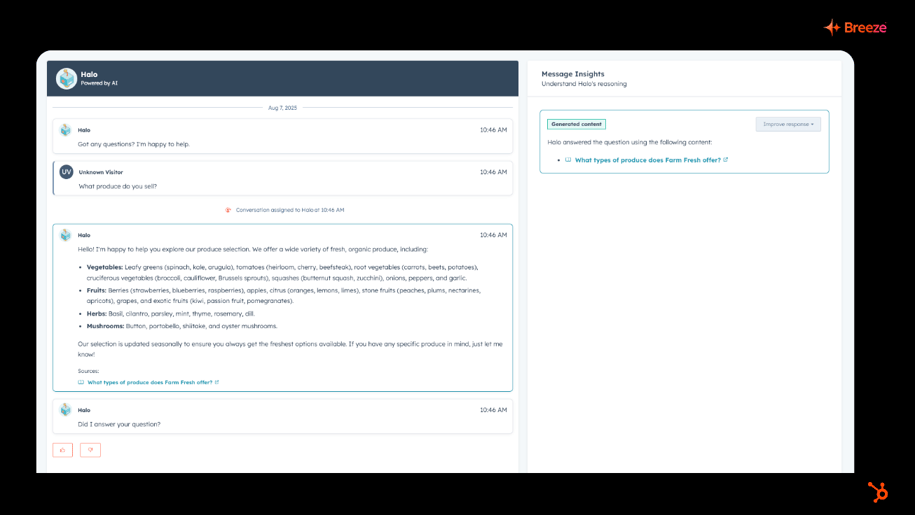
Your Customer Agent just got a new training gym, minus the sweat. 🏋️♂️
HubSpot’s redesigned testing experience lets you throw real customer questions at your agent, fine-tune its answers, and see how it “thinks” to ensure you ship it in the best possible way, all without burning credits.
It’s like a dress rehearsal for your AI, so when you go live, it’s ready to crush the performance (and not forget its lines).
Available for HubSpot Credits, Professional Customer Platform, Enterprise Customer Platform, Content Pro, Content Enterprise, Marketing Pro, Marketing Enterprise, Marketing+ Pro, Marketing+ Enterprise, Ops Pro, Ops Enterprise, Sales Pro, Sales Enterprise, Service Pro, Service Enterprise
Dashboards, but make them personal. ✨
Admins can now drop multiple dashboards into the sales workspace and hand-pick who sees what. Sales reps get a perfectly filtered “owner = me” view. no tinkering needed. Teams get their own spotlight, without sharing the stage.
It’s like giving every role their own private command center, minus the messy setup.
Available for Professional Customer Platform, Enterprise Customer Platform, Sales Pro, Sales Enterprise.
Case study
How a HubSpot audit took Spectrum Control's setup from okay to ah-may-zing!
.png?width=915&height=515&name=Spectrum%20Control%20-%20Case%20Study%20Thumbnail_2%20(1).png)
Spectrum Control’s HubSpot was running, but not exactly thriving. We gave it a four-week audit, cleared the clutter, fixed the fussy workflows, and boosted email deliverability. Now it’s running smoother than a fresh jar of peanut butter, and there’s a clear plan to keep it that way.
Blogs
8 HubSpot Breeze AI Features GTM Teams Must Prioritize
Story time: Not too long ago, a VP RevOps came to us with a bit of a mess.
Her team had turned on every Breeze AI feature the week it became available. Can’t blame them: most folks serious about GTM AI tend to experiment with everything. Plus, many Breeze Studio capabilities didn’t need credits to use.
But the other side is this: a few weeks in, NONE of it had stuck.
Reps ignored the AI-drafted outreach because it never quite matched how they actually sold. Support tickets kept escalating past an agent nobody had trained on real edge cases. Nobody could point to a single number that had moved.
AND it didn’t help that their HubSpot data quality was questionable.
We ran a Breeze AI assessment to figure out what was actually wrong: no Knowledge Vault, no Brand Voice, nothing grounding any of it.
In other words, every agent was guessing. They'd deployed the specialized stuff first and skipped the groundwork entirely.
The VP RevOps and her team came back to us — this time, the basics were in place and the deployment focus was one feature at a time.
That's the difference between a rollout that sticks and one that goes nowhere.
HubSpot Breeze AI features actually worth turning on
When it comes to HubSpot AI, every team that turns everything on hits the same wall: too many agents, not enough context, no way to tell what's working.
We've built and deployed Breeze AI across enough accounts to know which features earn their place and which ones add noise. Here’s what we recommend.
💡 Recommended before you begin: Know what HubSpot Breeze AI has to offer to GTM and RevOps teams
1. Context layer
Every HubSpot Breeze AI capability you use needs foundational groundwork.
- 'Knowledge Vaults' are reusable repositories of business context. You can pull together files, HubSpot content, CRM objects, and segments into one vault, then attach it to multiple assistants and agents. Build it once, and you don’t have to re-upload the same docs every time
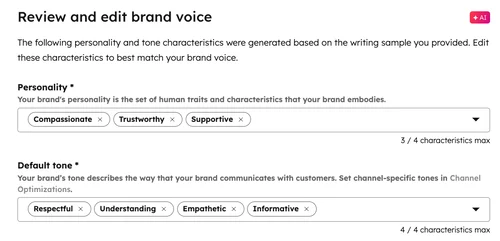
- Brand Voice and Brand Identity give Breeze your organization's writing style and business context. Generated content stops sounding like generic AI output. You'll see this in Customer Agent's tone settings, in content generation, and in content refinement
- Breeze Tools extend what assistants and agents can actually do, across three categories: ‘Get data,’ ‘Generate,’ and ‘Take action.’ Some come from HubSpot, others from third-party apps you've already installed
The issue GTM teams face is that, in their eagerness to get Breeze up and running, they skip this groundwork and end up with agents and assistants that suck at what they’re asked to do.
So don’t skip this.
Give every assistant the same context, without repeating yourself
Many teams end up running a ton of assistants and agents running in HubSpot. Without a shared Knowledge Vault, each one starts from scratch. You upload your product docs to one, then re-upload the same docs to the next.
Instead, build the vault once and attach it wherever it's needed. E.g. a support-facing assistant and a sales-facing agent can both pull from the same source of truth, and when that source updates, every assistant using it updates too.
💡 Pro tip: Start with one vault per business function rather than one giant vault for everything. It's easier to manage permissions and spot what's outdated.
Make AI-generated content sound like you, not like a robot
Generic AI output has a tell. It's polished, but it doesn't sound like anyone in particular. Brand Voice on Breeze AI fixes that by giving HubSpot AI your actual writing style to work from.
Once it's configured, you'll see the difference in more than one place. Customer Agent can adopt your Brand Voice instead of a generic personality preset. Content generation and refinement use it too. The output still needs a human pass, but you're editing something that already sounds like you, not rewriting it from the ground up.
💡 Pro tip: Feed ‘Brand voice’ real examples of your best-performing content, in addition to your style guide summary. It picks up tone from actual writing far better than from abstract rules.
Decide what an agent can touch before it can touch anything
Many Breeze Tools fetch information. But many other tools can also create records, update properties, and publish content. These fall under Take Action, and by default, HubSpot asks for approval before one runs.
Keep that default on for anything touching production data, especially early on. Turn it off only for tools you've watched behave correctly, and only on purpose.
💡 Pro tip: Audit which ‘Take action’ tools have approval turned off every quarter. It's easy to disable review during setup and forget it's still off six months later.
2. Breeze Assistant
Breeze Assistant is the conversational layer of HubSpot AI.
Ask it a question, and it answers using available context. Ask it to draft, refine, or summarize something, and it does that too, right inside whatever tool you're already working in.
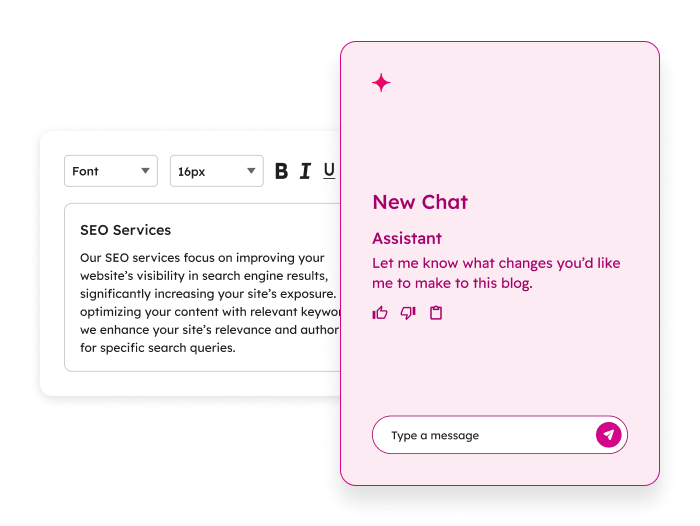
It also builds workflows from plain language. Describe what you want, and Breeze Assistant generates the triggers, actions, and delays, then leaves the workflow inactive until you review it.
This is the most mature entry point into HubSpot AI. It's also the one most teams stop exploring after one quick summary or draft, without realizing how much further it goes.
Get a usable first draft without opening a blank editor
You need an email, a quick page update, or a first pass at some copy. Instead of starting from nothing, ask Breeze Assistant and start from something.
It won't be publish-ready. It'll be far enough along that editing feels faster than writing.
Build or extend a workflow by describing it
Building a workflow manually means dragging actions, wiring branches, and configuring delays one at a time.
Breeze Assistant skips that. Describe what should happen, and it drafts the workflow for you.
You can also use it to extend something that already exists. E.g. you could add a follow-up step, insert a delay, or expand a simple automation into something more complete, all without rebuilding it from scratch.
Get a straight answer instead of digging through a record
Some contacts have months of emails, notes, and call logs attached to them. Reading all of it before a call isn't realistic, and it isn't necessary.
Ask Breeze Assistant to summarize the record, and you get the version worth reading before you pick up the phone.
💡 Pro tip: Ask a specific question rather than a general "summarize this." "What's the status of their last deal?" gets you a sharper answer than "summarize this contact."
3. Content creation
You already know that creating content from scratch, every time, for every channel, doesn't scale. This is the part of HubSpot AI built to fix that.
- Content Generation drafts, rewrites, refines, expands, or shortens content from a prompt, an existing asset, an uploaded file, or a live URL
- Content Remix takes that further: feed it one or several source assets, and it generates multiple formats from them at once, blog posts, social copy, landing pages, images, all pulled from the same source material
- Blog Research Agent works differently. Give it a topic, and it researches sources and generates a full long-form draft on its own. It needs an existing blog to work from and Super Admin setup to activate, and it's newer than the other two, so expect more hands-on review before anything goes live
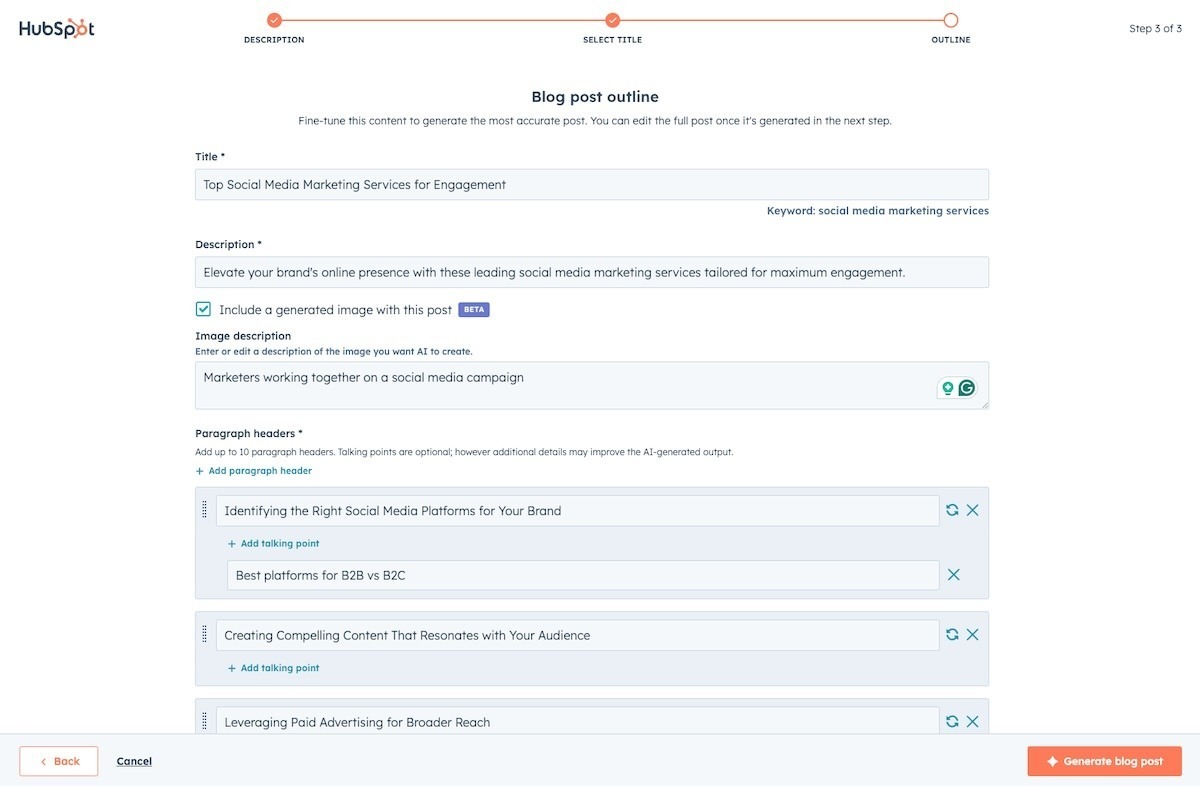
A webinar, a podcast episode, a long blog post: any of these can become five other things without five separate writing sessions. Content Remix takes the source and generates variants across formats in one pass.
You still edit each one. You're just not starting any of them from zero.
Get a research-backed blog draft instead of a blank page
Good blogs across the funnel start with strong research: find sources, check what's already been written, pull together an angle.
The Blog Research Agent does that first pass for you and hands you a draft to work from, surfaced right on the Blog Suggestions tab.
It's still a first draft. Fact-check it, rewrite the parts that sound generic, and make sure it actually reflects how your team thinks about the topic.
💡 Pro tip: Review and either publish or dismiss suggestions regularly. Letting drafts pile up on the Suggestions tab makes it harder to tell what's worth your attention.
Keep a content calendar moving without adding headcount
Content demand usually outpaces the team producing it.
Between Content Generation and Content Remix, one solid source asset can fill several weeks of channel-specific content instead of one blog post and nothing else.
💡 Pro tip: Build a simple source-to-output map before you start remixing (this webinar becomes this social series, this blog becomes this email). Remixing without a plan produces a lot of assets and no coherent campaign.
4. Data Agent and smart CRM automation
CRMs tend to collect messy, unstructured information: free-text form fields, call transcripts, notes nobody standardized.
The Breeze Data Agent turns that into something workflows can actually use. It runs through three capabilities:
- Smart Properties, AI-generated CRM fields that populate themselves based on a prompt
- Smart Actions, which bring that same logic into workflows
- Smart Columns, which add AI-generated columns to reports in Data Studio
A few related workflow actions build on this, including inferring a company's ICP and value proposition, and summarizing a record for downstream use.
Turn a messy form field into something you can filter on
A "tell us about your project" field is useful to a human reading it once. It's useless to a workflow trying to route the lead.
Data Agent can read that free text and classify it, enterprise, SMB, not qualified, then write the result into a property you can actually build logic around.
💡 Pro tip: Start with one high-volume, low-complexity field before rolling this out everywhere. It's easier to validate accuracy on one property than to untangle five at once.
Automatically researching a company before it reaches sales
Someone usually Googles a prospect before the first call: what they sell, who they sell to, what problems they solve.
Data Agent can generate that profile automatically from a company's website and feed it into the workflow, so reps start with context instead of a blank page.
💡 Pro tip: Use the generated ICP and value proposition to branch workflows, not just to inform reps. If the AI flags a company as enterprise software, route it differently than an ecommerce brand.
Standardize inconsistent CRM data without a cleanup project
Every CRM has some version of the same problem: state names entered five different ways, industries spelled inconsistently, values that mean the same thing but don't match.
Data Agent can standardize this at scale through a workflow, instead of a one-time manual cleanup that drifts again in a few months.
💡 Pro tip: Pair this with a workflow trigger on record creation, so new records get standardized going forward instead of only fixing what's already broken.
5. Conversation intelligence and smart deal progression
Sales calls generate a lot of information that usually stays trapped in someone's memory or a scattered note. This pairing turns that into structured, usable CRM data.
Conversation Intelligence transcribes calls, generates AI summaries covering purpose and next steps, tracks sentiment and talk time, and lets you search across transcripts for specific terms.
Smart Deal Progression builds on top of that. It reads the transcript and suggests CRM property updates, action items, and follow-up emails, each one linked back to the exact point in the call that generated it.
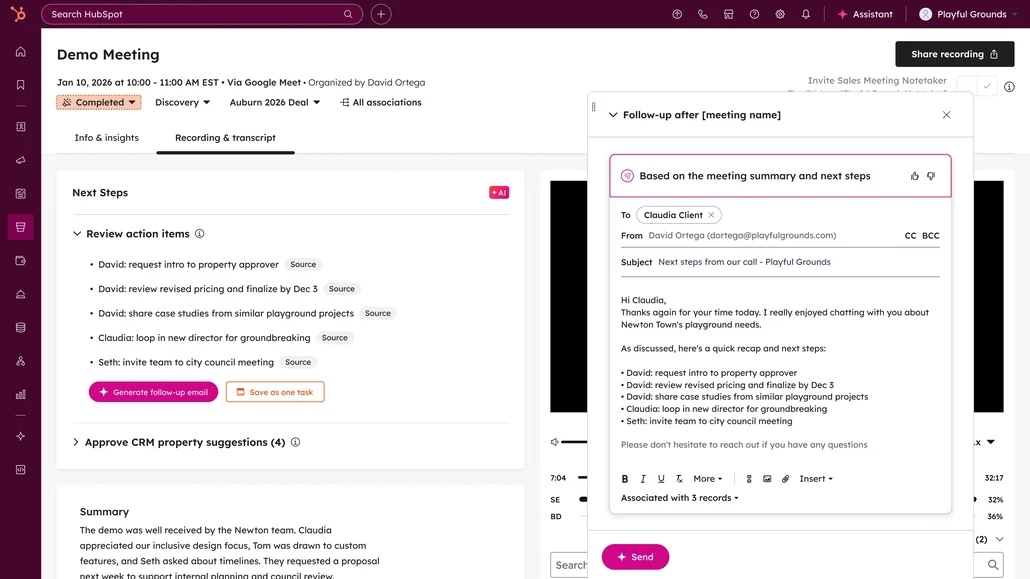
You decide how much of this runs on its own. Some properties can update automatically, others require a rep's approval first, and that split is configurable per property.
Update CRM based on what was actually said
Deal details usually live in someone's head until they get around to updating the record, if they get around to it. Smart Deal Progression reads the transcript and suggests the update directly, with a link back to the moment in the call that supports it.
💡 Pro tip: Leave high-stakes properties (deal stage, close date) on manual approval, and let lower-stakes ones (contact title, company size) update automatically. You get speed where it's low-risk and oversight where it isn't.
Send out a follow-up email the same day
The best time to send a follow-up is right after the call, while the conversation is still fresh.
Smart Deal Progression drafts that email from the transcript itself, recipients, subject, and body included, so a rep is editing something instead of writing it cold.
💡 Pro tip: Check the draft against what was actually agreed on the call before sending. It's a strong first pass, not a substitute for knowing what you promised.
Review pending CRM changes across many deals at once
Opening every deal individually to check for suggested updates doesn't scale past a handful of reps. Bulk recommendation review from the deal index lets you approve or reject changes across multiple deals in one pass instead.
6. Prospecting Agent and Closing Agent
These two agents sit on opposite ends of the same deal. Prospecting Agent works before a deal exists. Closing Agent works once a quote is out.
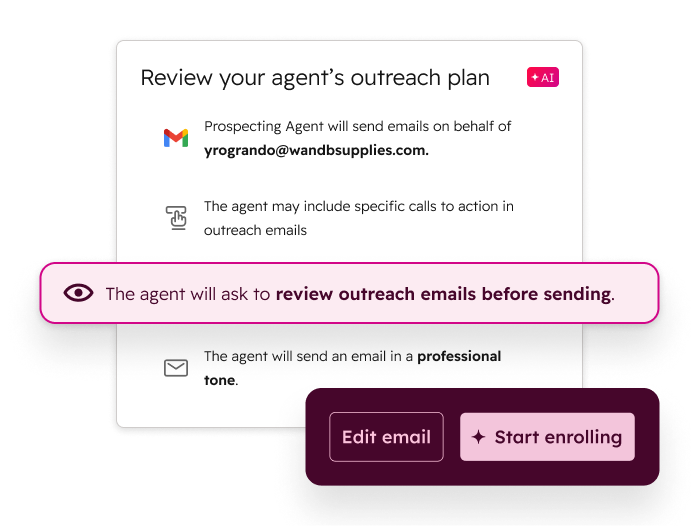
Prospecting Agent researches companies and contacts, prioritizes who's worth reaching out to first, and drafts personalized outreach for reps to review.
Closing Agent answers buyer questions directly inside a HubSpot quote, grounded in uploaded files, knowledge base articles, or public URLs, and hands off to the quote owner or a designated team when it can't answer confidently.
It also responds in the buyer's language and lets you customize its name, avatar, and welcome message.
Walk into a first call already knowing what the company does
Researching a prospect manually means piecing together their website, LinkedIn, and whatever context is already in the CRM.
Prospecting Agent does that first pass, what the company sells, who they sell to, what they might care about, before a rep ever picks up the phone.
Let a buyer get quote questions answered without waiting on the rep
A buyer reviewing a quote at 9pm has questions, and the rep isn't online. Closing Agent answers directly, grounded in the knowledge sources you've attached, and only loops in a human when the question genuinely needs one.
💡 Pro tip: Load your most common quote-stage objections and FAQs into the knowledge source before activating this. The quality of its answers is only as good as what you've given it to work from.
Keep a buyer conversation moving in their own language
A buyer shouldn't need to switch tools or wait for a translated reply. Closing Agent responds in the same language as the quote itself, so this works without extra setup on your end.
💡 Pro tip: Test the welcome message and quick replies from the buyer's side before rolling this out widely. What reads as helpful internally can land as stiff or robotic to someone outside your company.
7. Customer Agent
Breeze Customer Agent is a configurable support agent that answers customer questions.
It uses your approved business content, performs actions through connected APIs, and hands off to a human when it can't resolve something on its own.
- Pulls from knowledge base articles, website pages, uploaded documents, and crawled URLs, and it can retrieve or update approved CRM properties during a conversation
- Deploys across messaging, email, calling, Help Desk, and Inbox, and it comes with built-in reporting: resolution rate, deflection rate, and a running list of questions it couldn't answer
Resolve repetitive questions before they ever reach a human
Password resets, order status, policy questions: these don't need a person.
Customer Agent answers them directly, across whichever channel the customer reached out on, at any hour.
💡 Pro tip: Start with your highest-volume, lowest-complexity questions. Getting those right builds trust in the agent before you hand it anything more nuanced.
Know what your agent still can't answer, and fix it
An agent that never improves stays stuck at day-one quality.
Customer Agent tracks knowledge gaps and coaching opportunities, so you know exactly which questions it's missing and why.
Route the conversations that need a human, to the right human
Not every escalation should land in the same inbox.
Customer Agent supports custom handoff triggers, cancellations, refunds, login issues, each routed to a specific person or team instead of a general queue.
💡 Pro tip: Set up handoff messaging for both available and unavailable states. A customer waiting on a response deserves to know that, instead of wondering if the conversation just stalled.
8. Data enrichment and buyer intent
CRM records go stale fast: outdated titles, missing firmographic details, contacts who changed companies without telling anyone.
Data enrichment keeps records current using HubSpot's own commercial dataset, pulling from public sources, third-party vendors, and web data.
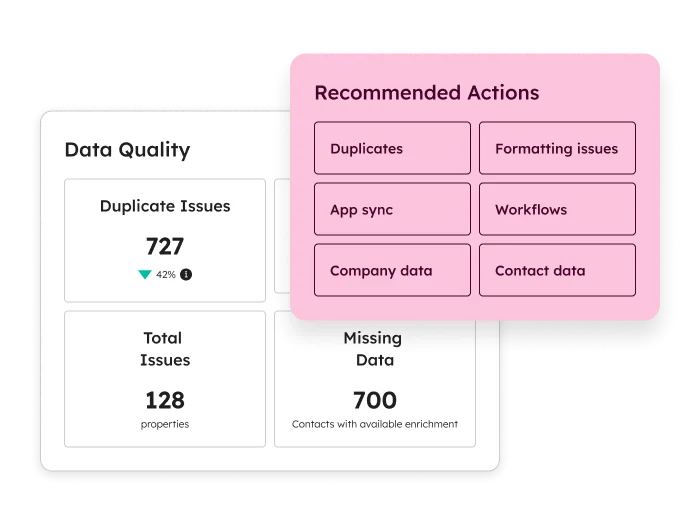
New records get enriched automatically, and existing ones refresh monthly without consuming credits. You can also enrich manually, in bulk, or through a workflow, and choose exactly which properties get filled or overwritten.
Buyer intent insights sit alongside this, surfacing which companies are visiting your site so you can prioritize outreach before they've filled out a single form.
Know who's worth prioritizing before you even reach out
A visitor browsing your pricing page for a week is a different lead than one who bounced after ten seconds. Buyer intent surfaces which companies are showing up on your site, so outreach can start with the ones already paying attention.
💡 Pro tip: Combine buyer intent with your existing lead scoring rather than treating it as a separate signal. A high-intent visitor who also fits your ICP is worth more than either signal alone.
Shorten your forms without losing the data you need
Every extra form field costs you conversions. If commercial data enrichment already knows a visitor's company size and industry, there's no reason to ask for it again.
Segment and score leads on real data
Job title, industry, company size: these matter for segmentation and scoring, but only if they're accurate. Enriched fields give you something more reliable to build audiences and scores around than whatever a lead happened to type in manually.
💡 Pro tip: Re-run scoring models after enrichment settles in for a quarter. Cleaner input data often shifts what "high-quality lead" actually looks like in your funnel.
Breeze AI prerequisites and what to turn on first
Naturally, none of this works well on day one—don’t expect it to.
Before any of it, get the basics enabled: access and permissions, funnel and pipeline data, and company assets—all in your AI settings.
You'll also need Super Admin or Breeze Studio permissions sorted for whoever's configuring these agents going forward.
Beyond settings, two things matter more than the rest: at least one populated Knowledge Vault, and Brand Voice configured. Skip either, and every agent you turn on afterward starts from a weaker position.
If you're picking a starting point, this is the order that works in our experience:
- Knowledge Vault and Brand Voice, first and non-negotiable. Everything downstream depends on this
- Breeze Assistant, because it's the lowest-friction way to get your team using HubSpot AI daily, and it needs almost no setup
- Content Remix, because one source asset turning into several formats is an immediate, visible win for a content team stretched thin
- Data Agent's Smart Properties, starting with one high-volume field, to prove out the CRM automation case before expanding further
Everything else is also worth deploying. It's just worth deploying after these are actually working, not alongside them.
HubSpot Breeze AI: Practical guide for GTM and RevOps teams

If you've used Breeze AI on HubSpot, you've probably used Breeze Copilot.
You’ve likely asked it to summarize a contact, draft a follow-up, maybe pull a deal update. It worked. You moved on.
That's the version of Breeze AI most teams on HubSpot know. It's also the smallest part of what's actually there.
HubSpot Breeze AI is a more comprehensive platform for GTM and RevOps teams — connected components that sit across your entire CRM.
- Breeze Assistant is the conversational layer you've already met or will meet
- Breeze Agents are autonomous, purpose-built agents that run multi-step workflows without you in the loop for every step
- Breeze Intelligence is the enrichment and intent engine underneath all of it
- Breeze Studio is the build environment where you configure custom agents for your specific workflows
Each component works differently. Each one requires different things from your team to actually deliver.
The gap between "we have Breeze" and "Breeze is doing something meaningful for our pipeline" almost always comes down to understanding which layer maps to which GTM and RevOps problem and objective.
What Breeze AI actually is and how it’s different from standard HubSpot
There's a version of HubSpot most teams run on for years without questioning. Workflows fire when conditions are met. Sequences send emails on a schedule. Deals move when someone updates a stage. It works. It's reliable. And it has a hard ceiling.
Breeze AI sits above that ceiling. Standard HubSpot automation is rule-based — you define the conditions, HubSpot executes them.
But Breeze AI is judgment-based. It can read a contact record and decide what matters. It can analyze a set of closed-lost deals and surface a pattern. It can research a prospect, write a personalized email, and queue it for review — without you defining every step in a workflow builder.
That's a different category of tool. Not a replacement for your regular Workflows or Sequences — those still handle what they're built for — but a layer above them that adds reasoning, generation, and autonomous execution to your CRM.
Quick history: Breeze AI didn't appear from nowhere. HubSpot's earlier AI experiments — Content Assistant and ChatSpot — were the groundwork. At INBOUND 2024, HubSpot unified everything under the Breeze rebrand, and that’s when AI stopped being a feature sitting next to HubSpot and became native to how the platform works.
HubSpot Breeze AI ecosystem: how the pieces fit together
Breeze AI isn't one thing you turn on. It's multiple AI and agentic components that work together — each with a distinct role, each sitting in a different part of your CRM.
Some you'll use daily. Some you'll configure once and let run. Some you'll only need when you're ready to build something custom.
- Breeze Assistant — the conversational AI layer, accessible from a sidebar across your entire HubSpot
- Breeze Agents — purpose-built autonomous agents that run specific GTM and RevOps workflows
- Breeze Studio — the build and configuration environment for custom agents and assistants
- Breeze Intelligence — the enrichment and buyer intent data layer
- Breeze Marketplace and Dashboard — where you discover pre-built agents and track adoption across your team
Breeze Assistant
Breeze Assistant is the conversational AI embedded across your HubSpot; it's the persistent sidebar you can open on any record, in any hub.
If you've used HubSpot Breeze Copilot, this is the same thing. Copilot was the earlier name. Breeze Assistant is what HubSpot calls it now.
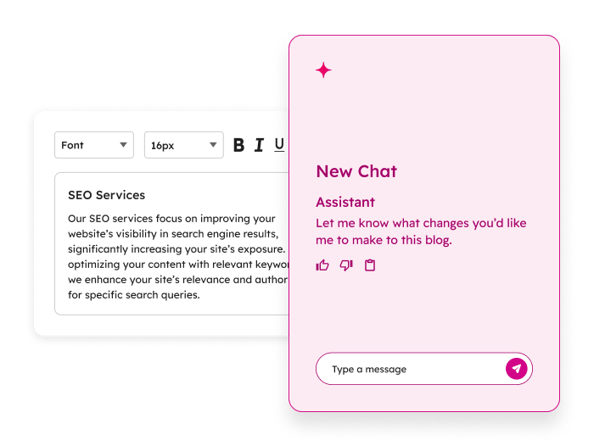
What it actually does depends on what's in front of it.
Open it on a contact record and it can summarize that contact's full engagement history, draft a follow-up email in context, flag overdue tasks, or prep you for a call — pulling from everything HubSpot has on that person.
Open it on a deal and it can surface where things stand, what's stalled, what the last interaction was. Open it in your pipeline view and you can ask it direct questions about your numbers.
A few things worth understanding about how it works:
- It's context-window bound. Breeze Assistant works on what's currently in scope — the record you have open, the data attached to it. It's not running a global query across your entire database. If you want it to reason across a large dataset, that's a different Breeze capability
- It can act, not just answer. Beyond surfacing information, it can generate tasks, draft emails, and complete supported actions directly inside HubSpot — depending on what permissions your admin has configured
- Its output quality scales with your CRM data quality. A contact record with rich engagement history, detailed notes, and accurate properties will produce meaningfully better Assistant output than a sparse one
For sales reps, AEs, and CSMs doing high-volume daily work — call prep, follow-up drafting, record updates — Breeze Assistant is the most immediately accessible part of HubSpot Breeze AI.
Low setup friction, available today, delivers time savings from the first use.
But also, it’s important to know the limit: Breeze AI is a productivity tool, not a magic bullet workflow transformation. The real leverage comes when Breeze Assistant is working alongside configured agents — not as a standalone.
Breeze Agents
Breeze Agents are where the platform shifts from assistive to autonomous.
Where Breeze Assistant responds to what you ask, agents run multi-step workflows on their own — researching, generating, acting, and updating your CRM without a human decision at each step.
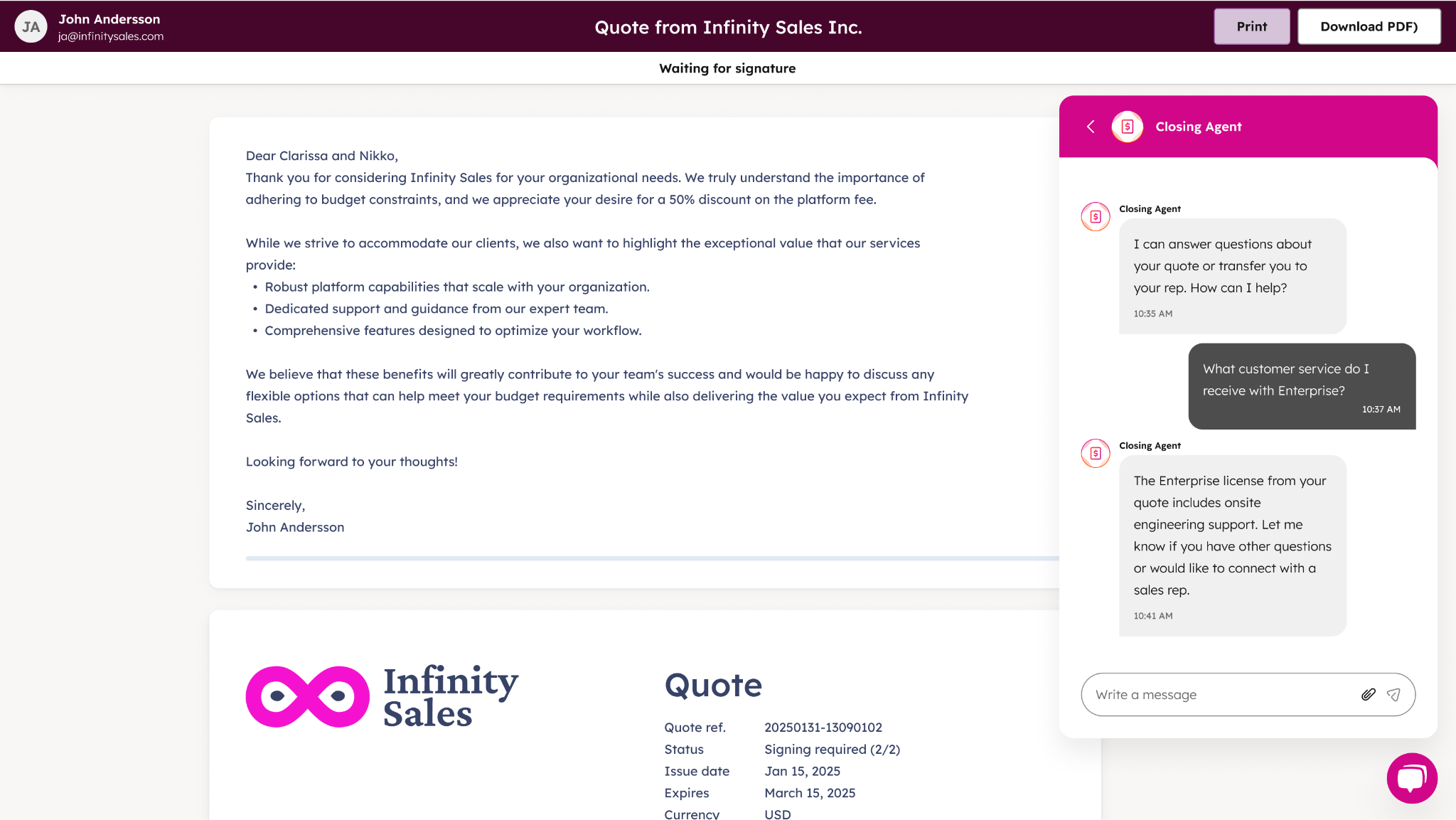
You configure them, define their inputs and goals, and let them run. They can be triggered manually, scheduled, or automated through Breeze Studio or HubSpot Workflows.
A few things that apply across all agents before getting into the specifics:
- Agents draw on knowledge vaults — documents, CRM content, segments — that you feed them to give them business-specific context
- AI instructions let you define expected behavior, output format, and business rules the agent should follow
- Most agents can be tested before publishing — you can preview outputs, review reasoning, and adjust configuration before anything goes live
- Some agent tools require user approval before executing actions — relevant if your team has governance requirements around automated CRM updates
Prospecting Agent
The HubSpot Prospecting Agent researches target companies, builds contact lists, and personalizes outreach — pulling from Breeze Intelligence and public web data.
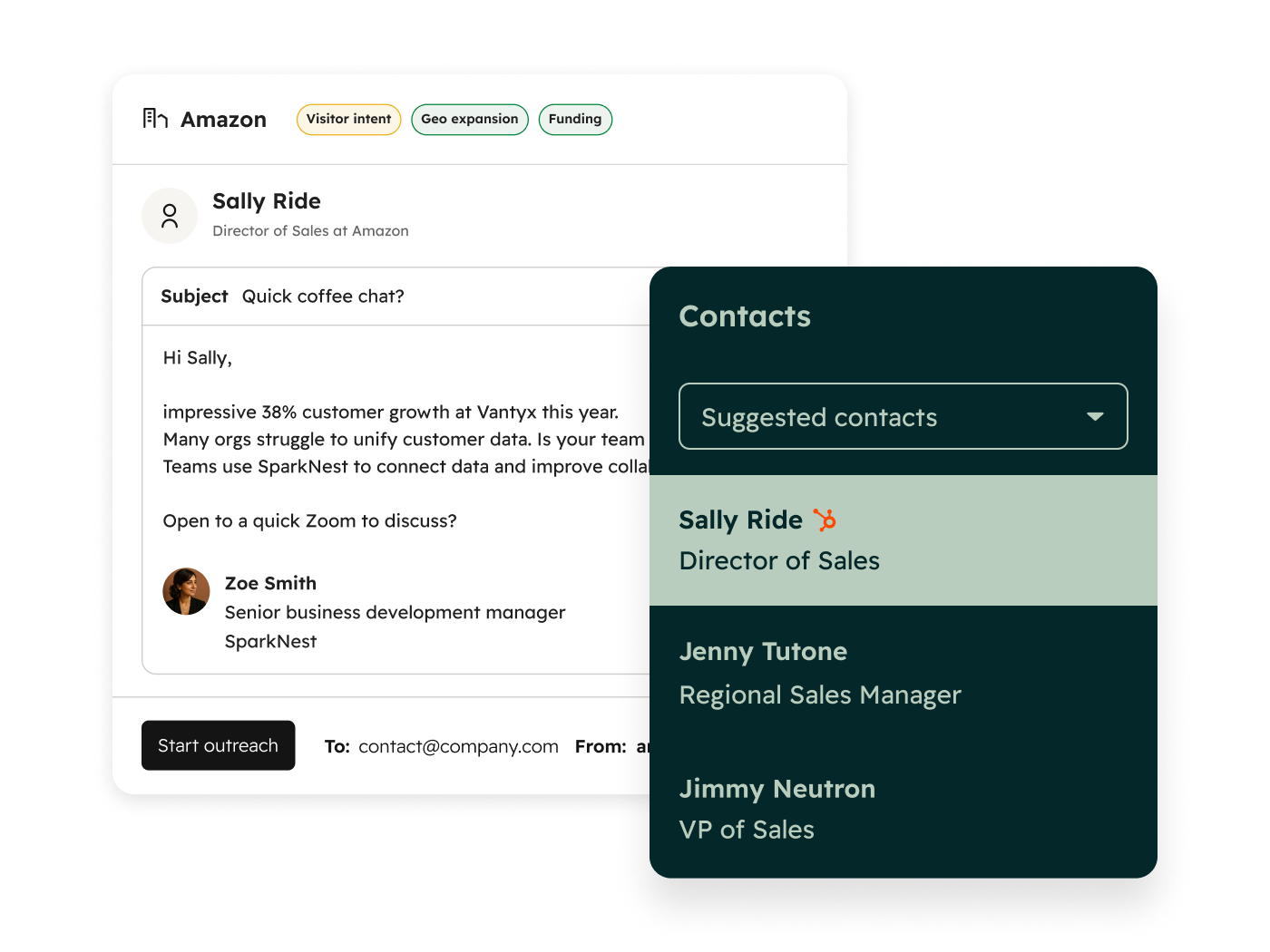
For now, it's the most GTM-relevant of the pre-built agents for outbound-heavy teams.
💡 Actual use case: A B2B SaaS company RevX worked with used the Prospecting Agent as part of a connected outbound pipeline — pairing it with Breeze Intelligence, NeverBounce for contact verification, and Zapier for sequencing.
The result was an outbound pipeline that could research, enrich, verify, and queue contacts with minimal manual intervention.
That kind of stack doesn't come out of the box — it takes configuration — but the Prospecting Agent is the engine at the center of it.
Data Agent
The Breeze Data Agent enriches contact and company records at scale.
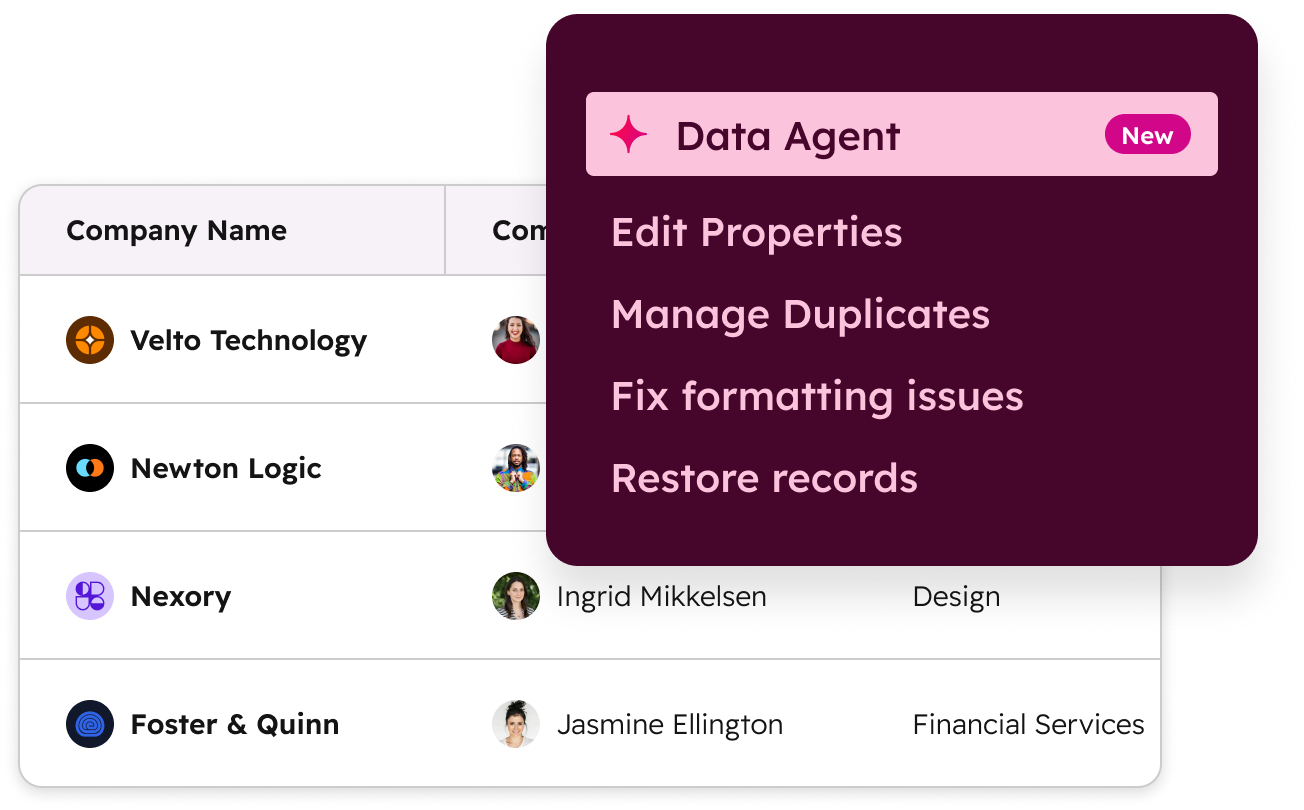
It lives within the Breeze Intelligence tier (more on this in a bit) but operationally it functions like the other agents: configurable, schedulable, and capable of updating CRM records without manual intervention.
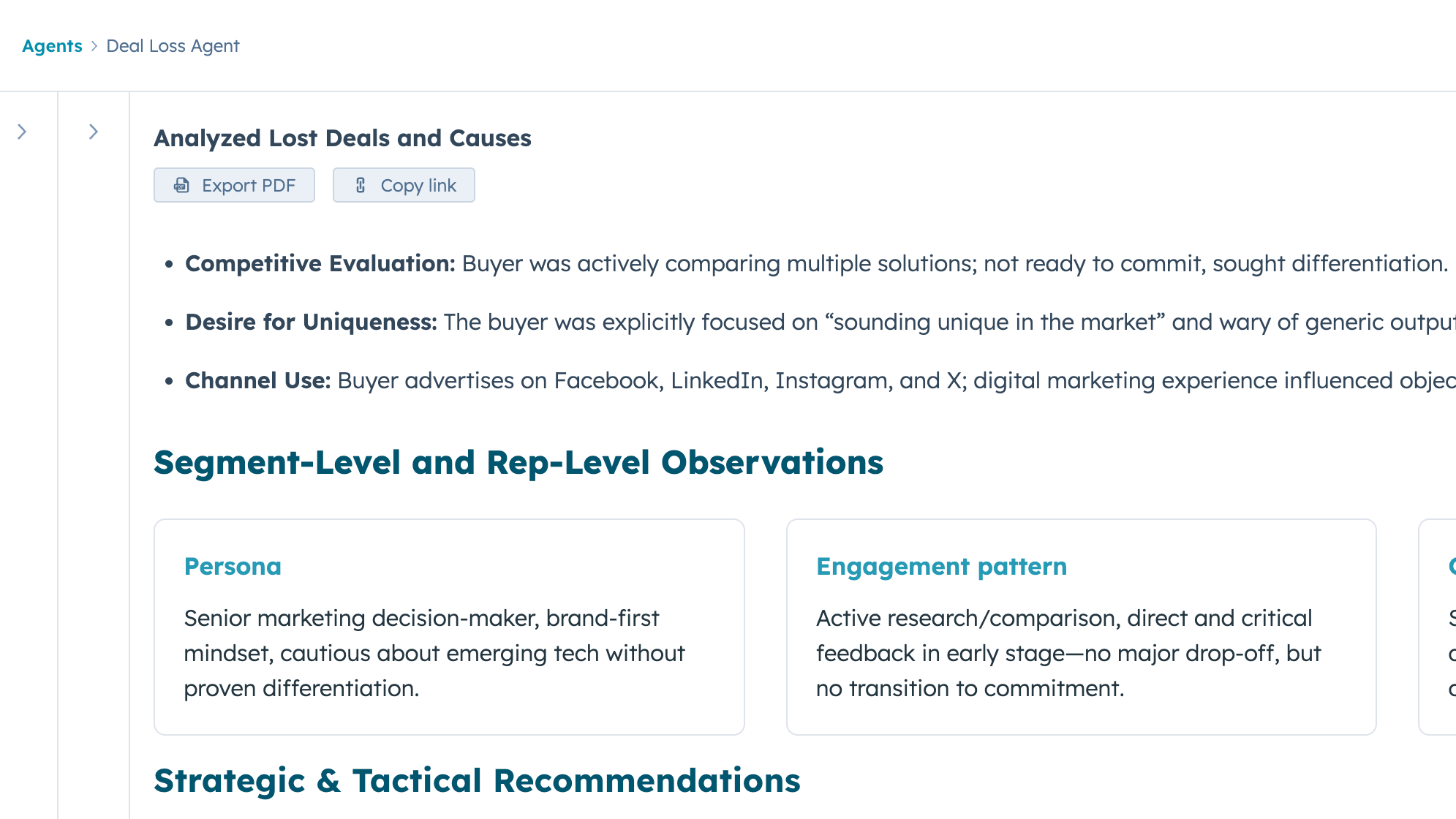
Deal Loss Agent
Closed-lost deals are one of the most underused data assets in any CRM.
 Source: HubSpot App Marketplace
The Deal Loss Agent reviews them systematically — surfacing patterns in why deals were lost and feeding those insights back to sales and marketing.
For RevOps leads trying to close the loop between pipeline performance and GTM strategy, this is one of the higher-signal agents available natively in HubSpot Breeze AI.
RFP Agent
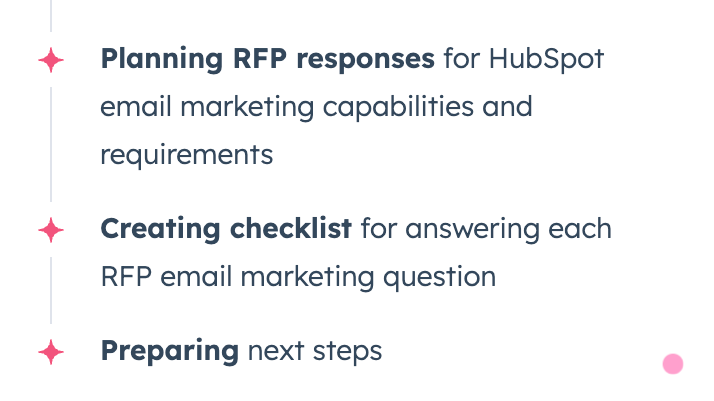
For sales teams in proposal-heavy cycles, the RFP Agent drafts RFP responses by pulling from CRM data and configured knowledge vaults.
 Source: HubSpot App Marketplace
The quality of the output depends heavily on how well those knowledge vaults are stocked — generic knowledge bases produce generic responses.
From what we’ve seen for our clients and experiments we’ve run for ourselves, teams that have invested in structured product and competitive documentation get meaningfully more usable drafts.
Sales-to-Marketing Feedback Agent
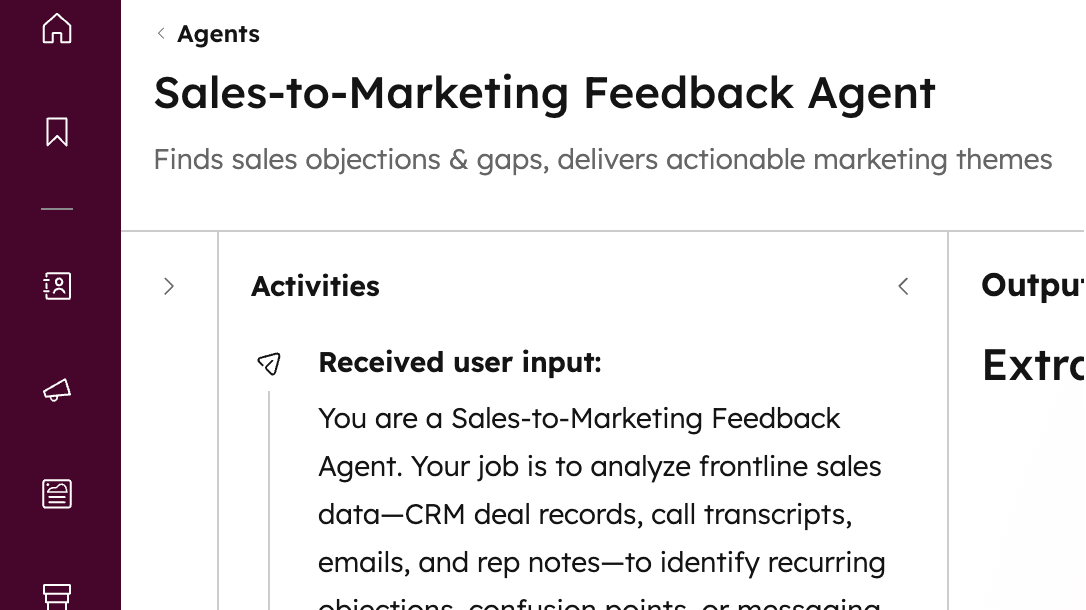
One of the more underrated agents for GTM alignment, the Sales-to-Marketing Feedback Agent analyzes sales interaction data and surfaces themes — objections, questions, patterns — that marketing can act on.
 Source: HubSpot App Marketplace
Essentially, its job is to close the feedback loop between what sales is hearing in the field and what marketing is producing, without requiring anyone to manually compile call notes or run a quarterly review.
Customer Agent
The HubSpot Customer Agent handles support queries autonomously — answering questions, retrieving information, performing supported actions, and escalating to a human agent when it hits something outside its scope.
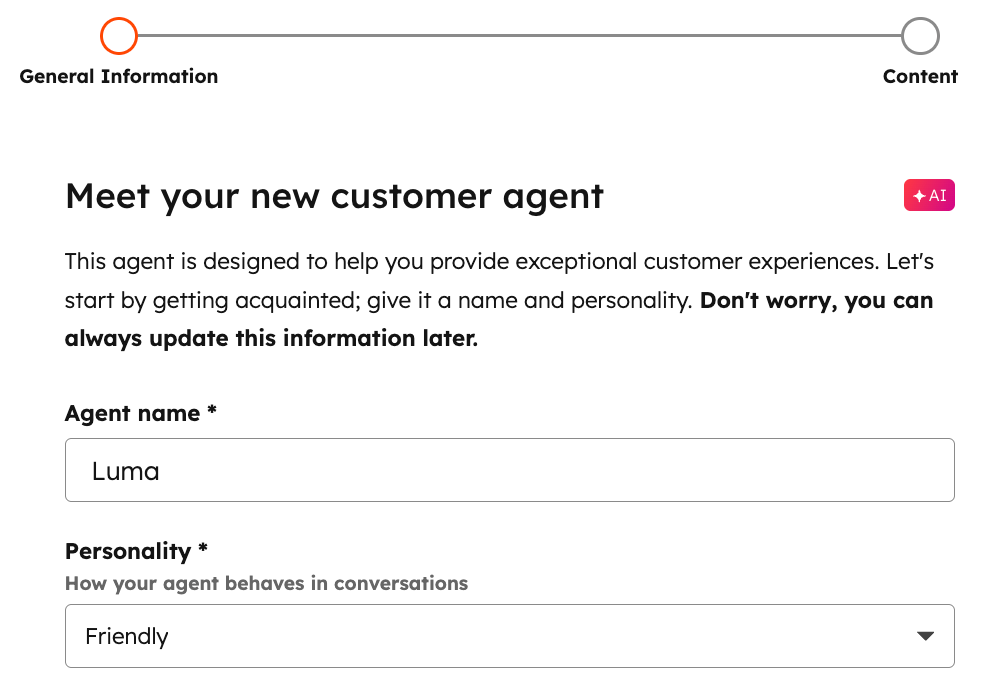
What’s neat is that it works across messaging, email, calling, workflows, and bots, and draws on your knowledge base and approved CRM data to resolve tickets.
For support and service operations teams dealing with high ticket volume, it's the most direct path to deflection without sacrificing resolution quality.
Content Agents
HubSpot Breeze’s Content Agents research and generate blog posts, create landing pages, case studies, and social copy from brand voice input.
Output quality scales with how specifically you've configured your brand voice and the instructions you've given agents.
Ideally, if you treat these as a first-draft engine — with a human editing pass built into the workflow — you can get significantly more than simply expecting a publish-ready copy straight out of an agent.
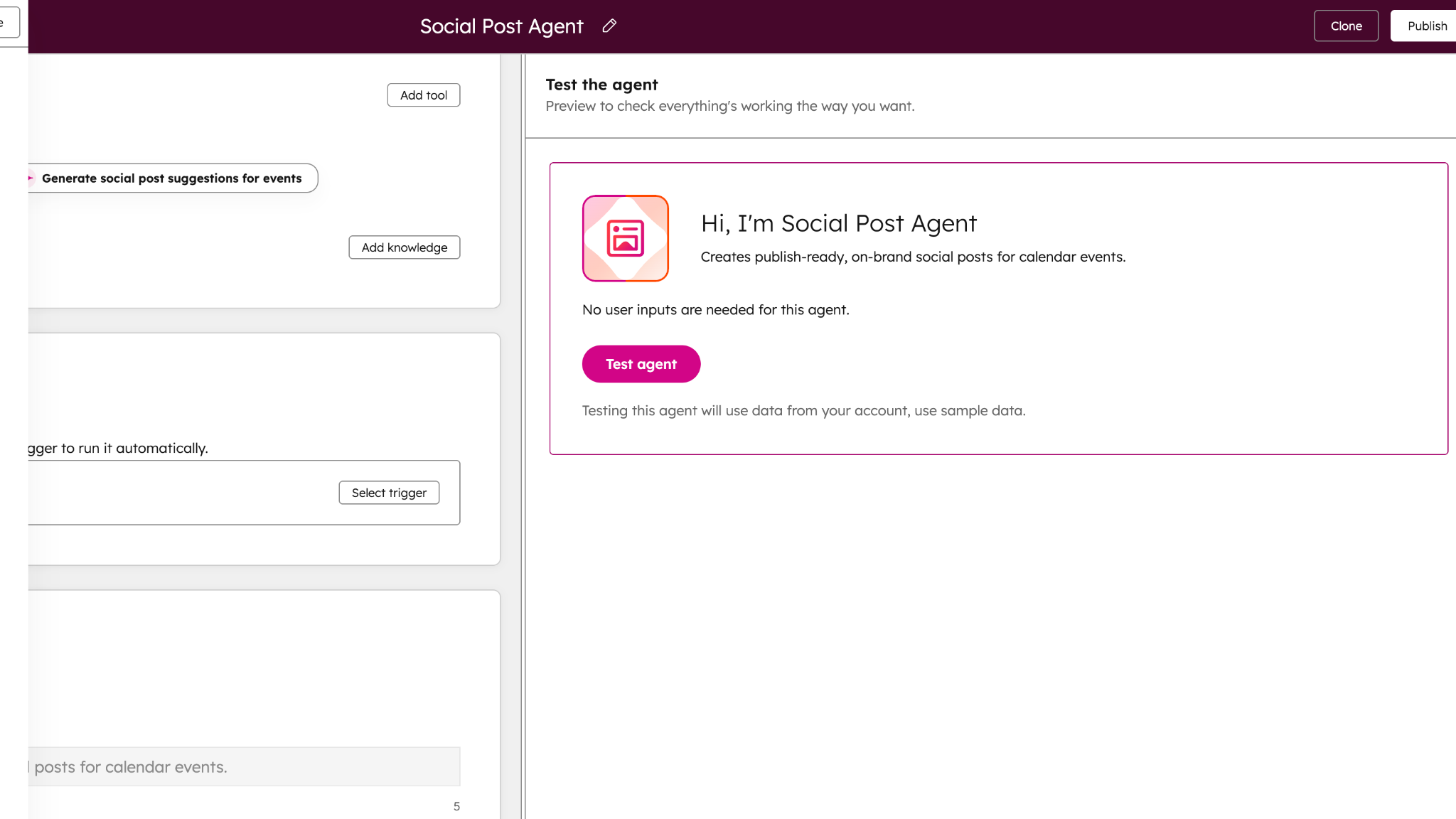
Social Post Agent
The Social Post Agent generates and schedules social posts based on content themes.
 Source: HubSpot App Marketplace
Useful as a distribution layer sitting downstream of the Content Agent — once content is produced, Social Agent handles the formatting and scheduling across channels.
Breeze Studio
Breeze Studio is where the pre-built ends and the custom begins.
Every agent and assistant covered so far comes with default configurations — useful starting points, but built for general patterns. Breeze Studio is the build environment where you take those defaults apart and configure something specific to how your team actually works.
- Create custom agents and assistants from scratch
- Configure behavior through AI instructions — defining expected outputs, business rules, tone, and scope
- Add knowledge vaults containing documents, CRM content, brand voice, and segments so agents have the right business context
- Define tools that let agents retrieve data, generate information, or take actions inside HubSpot
- Test outputs before publishing — preview responses, review reasoning, adjust configuration
- Publish agents and manage access across your team
- Automate agents via scheduling or HubSpot Workflow triggers
- View execution history to monitor what's running and catch anything that needs adjustment
That last point matters more than it sounds.
Execution history gives RevOps leads visibility into what agents are actually doing — not just whether they're running, but what they're outputting and where they're hitting limits. It's the difference between deploying something and managing it.
The reason Breeze Studio is worth understanding early — even if you're not ready to build anything custom yet — is that it changes the ceiling of what HubSpot Breeze AI can do for your team.
Pre-built agents cover common GTM patterns. Most teams have at least one workflow that doesn't fit a common pattern:
- Custom qualification agent built around your specific ICP signals
- Deal review assistant configured to your sales methodology
- Daily sales co-pilot that answers the seven specific questions your reps need answered every morning before their first call
💡 Actual use case: That last example is real. One luxury travel company RevX worked with had rich contact data in HubSpot and reps who were starting every day from scratch — manually triaging who to follow up with, what was said last, which channel to use.
We built them a Breeze Studio assistant structured around seven operational questions their reps needed answered daily. The CRM data was already there. Breeze Studio was the layer that turned it into something a rep could act on in minutes.
The configuration investment is real, for sure. But so is the delta between a default Breeze AI deployment and one that's been built to fit a specific workflow.
Breeze Intelligence
Breeze Intelligence is the data layer underneath everything else.
While Breeze Assistant and Breeze Agents work with the data already in your HubSpot, Breeze Intelligence is what improves that data — enriching records, filling gaps, and surfacing companies that are actively in-market for what you sell.
It does two distinct things: enriching data, and tracking buyer intent.
Enrichment
Breeze Intelligence pulls from HubSpot's commercial dataset to populate contact and company records with job title, company size, industry, tech stack, and buying signals.
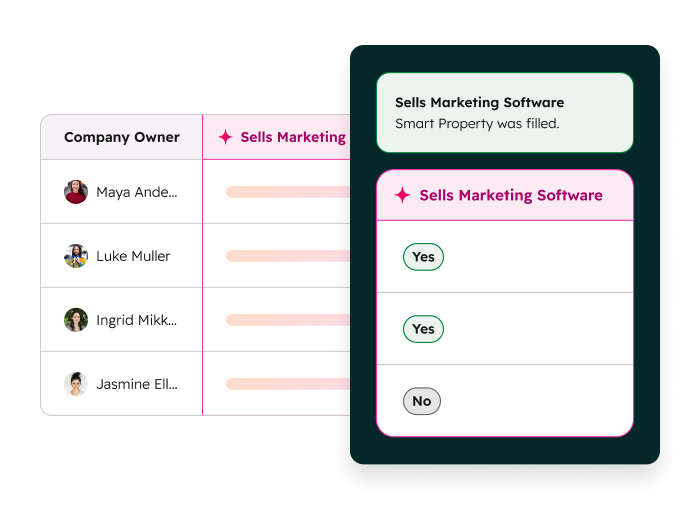
It runs in four modes:
- Automatic enrichment — records are enriched as they enter your CRM
- Manual enrichment — you trigger enrichment on specific records or lists
- Continuous enrichment — records update automatically when the underlying data changes
- Conversational enrichment — you request enrichment through Breeze Assistant directly
Smart properties sit on top of this — AI-populated fields that update dynamically based on enrichment data and existing CRM activity. For RevOps teams managing data hygiene at scale, smart properties reduce the manual work of keeping records accurate as contacts change roles, companies grow, or deals progress.
Buyer intent
This is the part of Breeze Intelligence that's most directly GTM-relevant.
It tracks which companies are actively researching your category — based on content consumption, search behavior, and third-party intent signals — and surfaces them inside HubSpot.
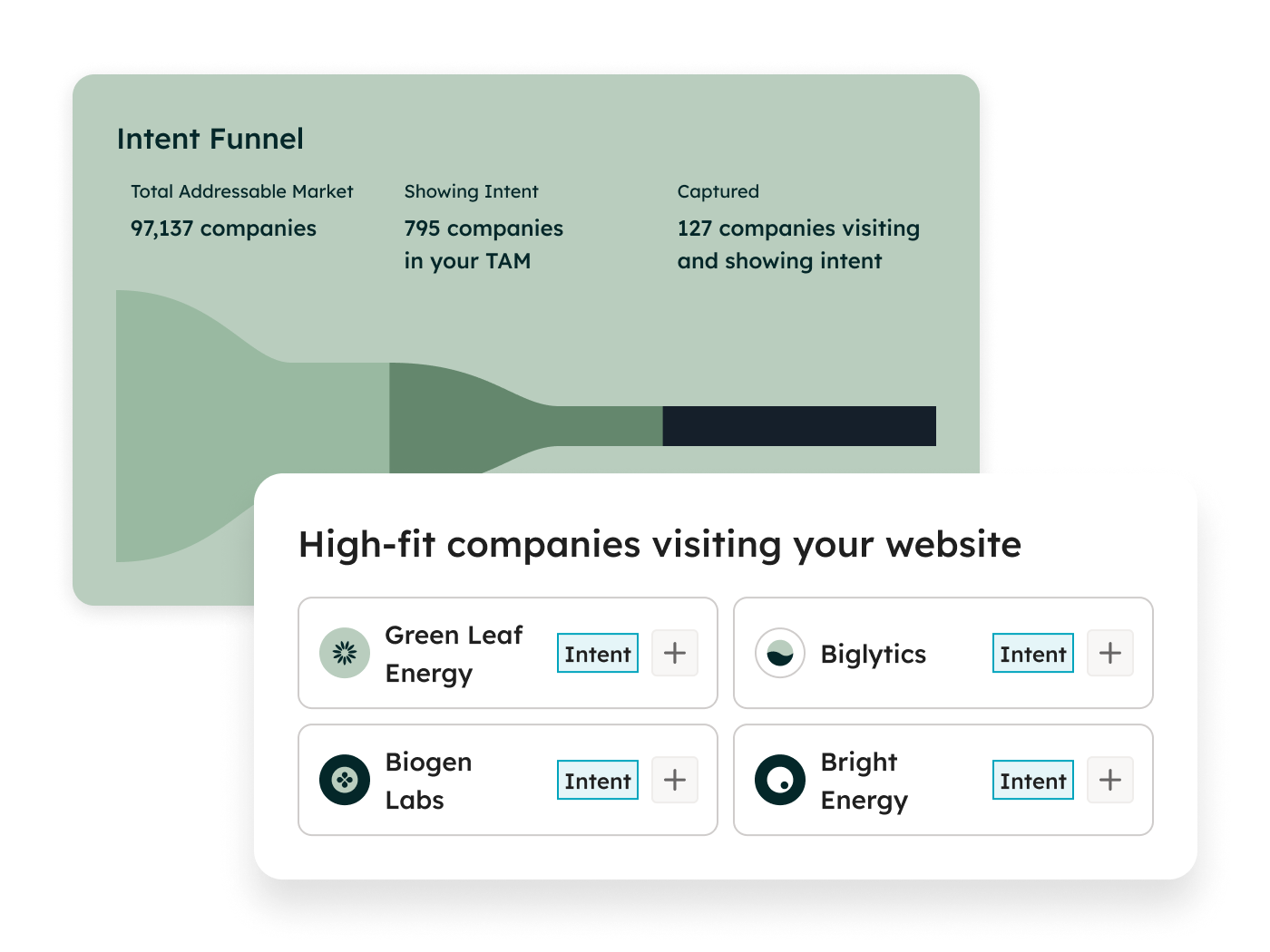
For outbound teams, it turns HubSpot buyer intent data into a prioritization layer: instead of working a static list, reps can focus on accounts showing active in-market behavior right now.
A few things worth knowing before you run at scale:
- Breeze Intelligence runs on HubSpot Credits. Enrichment at scale consumes credits quickly — worth modeling your expected usage before turning on continuous enrichment across your full database
- Breeze Intelligence is a separate paid add-on on many HubSpot plans, not included by default
Where you may feel limited: Enrichment quality scales with the cleanliness of your base data. Enriching a database full of duplicates, stale contacts, and incomplete records doesn't fix those problems — it layers data on top of them. Clean first, enrich second.
For teams with reasonably clean HubSpot data and an outbound motion that depends on accurate contact information and timely intent signals, Breeze Intelligence has a clear ROI case. For teams whose CRM is still a mess, it's the wrong place to start.
Breeze Marketplace and Breeze Dashboard
Two other useful components worth knowing about — especially if you're managing Breeze AI adoption across a team rather than just using it yourself.
Breeze Dashboard
The Breeze Dashboard is a centralized view of how Breeze AI is being used across your organization. It tracks:
- Agent usage — which agents are running and how often
- Assistant usage — how frequently Breeze Assistant is being used across the team
- Feature adoption — which Breeze AI capabilities have been activated
- Time saved — estimated efficiency gains across users
- Adoption trends and retention — how usage is changing over time
- Recommended Breeze AI capabilities — based on what your team is and isn't using yet
For individual contributors, the dashboard is background noise. For RevOps leads managing a HubSpot Breeze AI rollout across sales, marketing, and CS, it's the operational layer that tells you whether activation is actually translating into usage — and where the gaps are.
Breeze Marketplace
The Breeze Marketplace is where you discover and install pre-built agents without building anything from scratch.
Think of it as the starting point before Breeze Studio — browse what's available, install what's relevant, open it for configuration.
For teams that are early in their Breeze AI activation and not yet ready to build custom, the Marketplace is the fastest way to get something running.
Featured agents — HubSpot's recommended pre-builts — are surfaced prominently and can be downloaded, configured, and modified to fit your specific needs.
The practical value: you're not starting from zero. E.g. a pre-built Prospecting Agent or Customer Agent from the Marketplace gives you a working foundation to configure from, rather than a blank canvas in Breeze Studio.
Which Breeze AI tools matter most for GTM and RevOps teams
Not every Breeze AI capability is equally relevant to every team.
E.g. Content Agent and Social Agent are built for marketing. Customer Agent is built for support.
But specifically for GTM and RevOps teams specifically — since you’re managing pipeline, outbound, deal velocity, and revenue operations — the highest-leverage tools are the Prospecting Agent, Deal Loss Analysis Agent, and Sales-to-Marketing Feedback Agent.
SDRs and AEs
- Breeze Assistant for daily record work — call prep, follow-up drafting, deal summaries without leaving the CRM
- HubSpot Prospecting Agent for outbound pipeline — researching target accounts, building contact lists, personalizing outreach at scale
- RFP Generation Agent for proposal-heavy sales cycles — pulling from knowledge vaults to draft responses rather than starting from a blank doc every time
Sales leadership and RevOps
- Deal Loss Analysis Agent for closing the loop on closed-lost — systematic pattern recognition across deals rather than anecdotal post-mortems
- Sales-to-Marketing Feedback Agent for GTM alignment — surfacing what sales is hearing in the field without a manual quarterly review
- Breeze Dashboard for adoption visibility — tracking whether Breeze AI activation is actually translating into usage across the team, and where the gaps are
Marketing
- Content Agents for first-draft generation — blog posts, landing pages, case studies, email copy; most effective when brand voice is configured and a human editing pass is built into the workflow
- Social Agent for content distribution — formatting and scheduling downstream of whatever the Content Agent produces
- Breeze Assistant for campaign copy and ad hoc generation tasks
RevOps
- Breeze Data Agent for enrichment at scale — keeping contact and company records accurate without manual intervention
- HubSpot Breeze Intelligence for pipeline hygiene and intent routing — enriching records and surfacing in-market accounts so outbound efforts hit accounts that are actually researching your category
- Breeze Studio for anything workflow-specific — custom qualification agents, deal review assistants, routing logic that doesn't fit a pre-built pattern
Customer Success and Support
- HubSpot Customer Agent for ticket deflection — resolving tier-one queries autonomously across messaging, email, and chat, escalating to humans when needed
- Breeze Assistant for case summarization — getting a rep up to speed on a customer's full history before a call or response, without manual CRM digging
🧠Pro tip: As HubSpot rolls out more pre-built agents and assistants, it’s helpful to keep an eye out for Breeze Studio tools that’re free, i.e., need no credits. You’ll be surprised at how many powerful agents HubSpot’s literally giving away for free.
What good Breeze AI activation actually looks like
From what we’ve seen so far at RevX, there's a pattern that separates teams getting good value from HubSpot Breeze AI vs. teams that turned it on, got mediocre output, and quietly stopped using it:
It's not about technical sophistication but about sequencing, i.e., doing a few specific things before touching any settings.
1. Map a broken workflow before opening Breeze Studio
The teams that configure well start outside HubSpot.
They pick one workflow that's costing the team measurable time or producing inconsistent output — a daily lead triage process, a closed-lost review that never happens, an outbound research task that takes an SDR two hours a day — and they describe it in plain English first. Who does this? What triggers it? What does good output look like? What should the agent never do?
That plain-English description becomes the foundation for AI instructions in Breeze Studio. Skip this step and go straight to configuration, and you end up writing vague instructions that produce crap.
2. Stocking knowledge vaults before running agents
Breeze Agents are only as good as the context you give them.
E.g. a Prospecting Agent with no knowledge vault runs on public web data and whatever's in your CRM. But a Prospecting Agent with a detailed ICP definition, a product positioning document, and a list of disqualifying signals runs on all of that — and produces meaningfully more targeted output.
3. Clean CRM data before running Breeze
This one is straightforward but consistently skipped.
HubSpot Breeze Intelligence enriches what's already there; it doesn't audit or deduplicate for you.
Before running enrichment at scale, the teams that get clean output from Breeze Intelligence have already dealt with their duplicate contacts, updated their lifecycle stages, and removed or suppressed records that shouldn't be in active segments.
The enrichment then lands on a foundation worth building on.
4. Test before publishing and define what ‘good’ looks like upfront
Every Breeze Agent can be tested before it goes live.
That doesn’t mean just running a test and checking whether the output looks plausible — it means running tests against a benchmark.
You’re looking for answers to questions like, “What would a senior rep or ops lead have produced for this same input manually?” or “Does the agent output match that standard? Where does it fall short and why?” and so on.
That benchmark also becomes the basis for ongoing maintenance.
Agent performance drifts when the underlying data changes, when ICP definitions shift, or when knowledge vaults go stale.
Set a standard upfront and have something to measure against when you run monthly reviews.
Honest verdict on how useful Breeze AI really is for GTM
Full disclosure: we’re HubSpot Gold Tier partners, so HubSpot is our bread and butter.
But from months of experimentation and real-world deployments for companies across industries, here’s our honest take:
HubSpot Breeze AI is genuinely useful. It's also genuinely easy to underuse — or to activate in ways that produce underwhelming results and lead teams to conclude it isn't worth the effort.
Breeze Assistant: turn it on, use it daily, don't expect it to change your pipeline
Breeze Assistant is the lowest-friction entry point into HubSpot Breeze AI and worth using from day one.
For reps doing high-volume daily work — call prep, follow-up drafting, record summarization — it saves real time. The ceiling is clear though: it's a productivity tool. It makes individual tasks faster. It doesn't reinvent workflows, doesn't surface patterns across your CRM, and doesn't act without being asked.
The value it delivers compounds when it's working alongside configured agents — on its own, it's a faster way to do things you were already doing.
Breeze Agents: highest ROI potential, highest setup dependency
This is where the real workflow leverage lives — and where a lot of GTM teams get tripped up.
Pre-built agents cover a lot of ground
HubSpot Breeze’s Prospecting Agent can meaningfully change how an outbound team builds pipeline. Deal Loss Analysis Agent can surface patterns that a quarterly sales review never would. Sales-to-Marketing Feedback Agent can close a GTM alignment gap that usually requires a dedicated ops resource to manage manually.
But agents surface your process gaps fast
If you can't describe the workflow you want to automate in plain English before you open Breeze Studio, the agent output will show it.
What we’ve noticed is that GTM folks that get ROI from agents almost always do one thing first: they define what good output looks like before they configure anything.
Skip this and you end up with agents running on vague instructions and producing output nobody trusts. In other words: clarity ensures that AI (in any shape or form, really) doesn’t take you in the wrong direction, fast.
Data is a critical variable
Agents work on what's in your CRM. A Prospecting Agent built on a poorly defined ICP and a contact database full of bad data will research and personalize outreach to the wrong people, efficiently.
🦊Pro tip: Need to exactly how broken your HubSpot data is? Run a 20-minute audit on Audit Fox (we built this!) and get an incredibly detailed report.
Breeze Intelligence: worth it, with one condition
HubSpot Breeze Intelligence has a clear ROI case for outbound-heavy teams — accurate contact data, tech stack signals, and HubSpot buyer intent data surfacing in-market accounts directly in your CRM is genuinely useful.
The condition: your base data needs to be reasonably clean first. Enriching a database full of duplicates, stale contacts, and incomplete records doesn't fix those problems. It adds accurate job titles to contacts your team hasn't touched in three years. Clean first, enrich second.
The credit system also warrants attention before running at scale.
Breeze Intelligence and agents draw from the same HubSpot Credits pool. A heavy enrichment run can quietly consume credits budgeted for the Customer Agent or Prospecting Agent. Model your expected usage before turning on continuous enrichment across your full database.
Before you go: don't activate everything at once
That's not how teams get ROI from Breeze AI.
Pick the layer that maps to your sharpest operational bottleneck — the workflow that's costing your team the most time, producing the most inconsistency, or creating the most downstream noise — and go deep there first.
One well-configured agent running on clean data and clear instructions will deliver more than five half-configured ones running in parallel.

Marketing Operations
We execute the technical heavy lifting—from complex integrations to attribution modeling—so you can prove campaign ROI and ensure no conversion opportunity is ever left behind.

Sales Operations
We configure your CRM and CPQ to eliminate administrative friction for reps, turning your pipeline into a source of predictable revenue rather than a guessing game.

