

 Salesforce
 HubSpot
 Claude
 GA4
 Marketo
 Audit Fox
 Services


Running HubSpot isn’t a job. It’s Squid Games with an orange color scheme and more consistent pay.
One day you’re updating a property, the next you’re trapped in a workflow named “FINAL_final_v3” wondering if you’ll make it out alive. Sales wants a new dashboard, marketing wants another form, and of course HubSpot just dropped another update that your CEO wants you to look into, like, yesterday.
This month, we’re talking real-life tactics for keeping your HubSpot running without losing your damn mind.
Let’s dive right in.
Inside this Newsletter:
✅ Blog: Here's how you moonwalk into the shiny new HubSpot admin role
✅ Blog: From impressions to impact: how HubSpot can help your events
✅ RevXpert Academy: A dummy's guide to auditing HubSpot
✅ HubSpot update: Take your customer agents for a test drive
✅ HubSpot update: Personalized dashboard for every sales role
✅ Case study: How Spectrum Control took their CRM from a 6 to a 10 in 4 weeks.
Blogs
So... you're the new HubSpot admin. Now what?

New to running HubSpot? Congrats, you’ve just inherited six pipelines, 200 mystery properties, and workflows with names like “DO_NOT_DELETE.” This guide walks you through exactly how to untangle the mess, set your priorities, and start running HubSpot like a pro (without losing your will to exist).
From confetti to clear ROI: here's how you manage events on HubSpot

Your events are packed, your webinars have people asking follow-up questions for hours, and your product launches feel like Beyoncé concerts.
But when the boss asks, “How’s this helping revenue?” … cue the awkward silence.
Our guide to HubSpot event management fixes that. You’ll go from “good vibes” to “clear ROI” with synced teams, automated workflows, and data so good your CFO could cry.
Stop throwing parties and turn your events into a real ROI machine.
HubSpot updates
Don't guess, just test: a new testing experience for customer agents
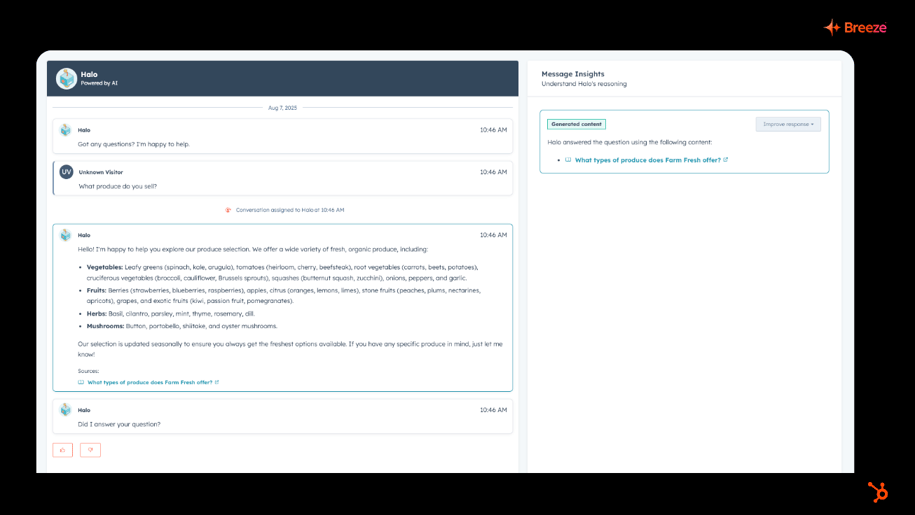
Your Customer Agent just got a new training gym, minus the sweat. 🏋️♂️
HubSpot’s redesigned testing experience lets you throw real customer questions at your agent, fine-tune its answers, and see how it “thinks” to ensure you ship it in the best possible way, all without burning credits.
It’s like a dress rehearsal for your AI, so when you go live, it’s ready to crush the performance (and not forget its lines).
Available for HubSpot Credits, Professional Customer Platform, Enterprise Customer Platform, Content Pro, Content Enterprise, Marketing Pro, Marketing Enterprise, Marketing+ Pro, Marketing+ Enterprise, Ops Pro, Ops Enterprise, Sales Pro, Sales Enterprise, Service Pro, Service Enterprise
Dashboards, but make them personal. ✨
Admins can now drop multiple dashboards into the sales workspace and hand-pick who sees what. Sales reps get a perfectly filtered “owner = me” view. no tinkering needed. Teams get their own spotlight, without sharing the stage.
It’s like giving every role their own private command center, minus the messy setup.
Available for Professional Customer Platform, Enterprise Customer Platform, Sales Pro, Sales Enterprise.
Case study
How a HubSpot audit took Spectrum Control's setup from okay to ah-may-zing!

Spectrum Control’s HubSpot was running, but not exactly thriving. We gave it a four-week audit, cleared the clutter, fixed the fussy workflows, and boosted email deliverability. Now it’s running smoother than a fresh jar of peanut butter, and there’s a clear plan to keep it that way.
Blogs
Understanding GTM Data Enrichment with HubSpot AI
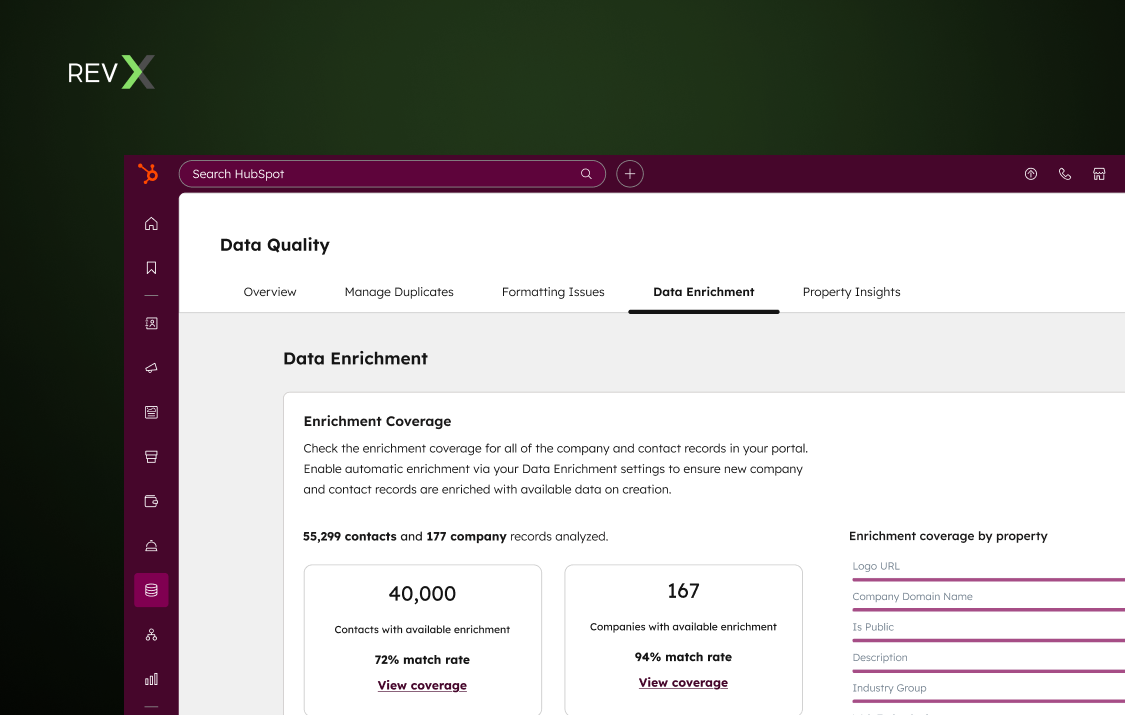
Go to your CRM and check this right now: what's your fill rate across the properties your GTM team actually uses? If it’s decent, kudos to you!
But if you’re seeing substandard fill-rates for properties you use now or will use in the future, you’re essentially feeding incomplete information to core systems.
- Lead scoring hands out a zero where it should have a signal
- Routing sends the lead to whoever is the fallback owner
- A segment built for VPs at mid-market SaaS leaves out everyone whose title field is empty, and nobody notices because the list still looks full
- Reports sliced by industry grow a fat "no value" bucket
- AI agents consistently produce unexpected, unusable, and untrustable output
All of this boils down to one major consequence: you, your teams, and your systems are working on an incomplete picture. There’s genuinely useful data sitting in your CRM, but very little can actually be actioned.
Filling data gaps is exactly what HubSpot’s data enrichment exists for: looking up a contact by name and work email, or a company by domain, and filling the matching properties—all of which can be done in bulk or at a record level.
Why run data enrichment at all?
Because more context runs better GTM processes.
Consider how records got filled before enrichment ran on its own: before enrichment lived inside the CRM, a blank record had a few ways out:
- A rep researched it. Company site, a LinkedIn profile, a news search, a guess at headcount. A few tabs per record, done at the moment the rep was supposed to be selling
- Someone bought or pulled a list. Export a CSV, map the columns, import it. The data was as fresh as the day of the export and aged from there
- The form asked. Job title, company size, industry, phone. Visitors typed whatever they felt like typing, or left
- Ops cleaned up in batches. A quarterly project, a spreadsheet, a lookup formula, nobody’s favorite week
Enrichment was an event. Somebody scheduled it. Between events, the CRM drifted.
Now, enrichment runs on its own, with a purpose.
- It happens at creation. Automatic enrichment fills new records as they’re created, including from forms and integrations
- It stays current. Continuous enrichment refreshes previously enriched records monthly
- It shrinks the form. Form shortening hides the fields HubSpot can fill, so visitors answer less
- It researches per record. Smart properties hand the tab-opening to an AI agent, working from a prompt you write
Here, it's worth noting that as helpful as data enrichment is, ‘faster’ isn’t the same as ‘right.’
Dataset enrichment still fills only what it can match, still leaves wrong values alone under fill-blanks rules, and smart properties spend credits. The rep with the browser tab hasn’t disappeared. The tab just moved to the records the dataset couldn’t fill.
How enrichment software works
To understand how HubSpot data enrichment works, it’s helpful to know how data enrichment as an operation generally works.
Where the data comes from
Vendors fill their datasets through a few channels.
- Public web crawling. Company sites, directories, press pages, professional profiles. A crawler can only find what someone published. Thin web presence means thin data
- Contributor networks. Users connect their inboxes, calendars or CRMs and, by doing so, add their contacts to a shared pool. Some vendors describe a network of 2M+ contributors, alongside email engagement tools, third-party providers, and public sources
- Licensed feeds. Firmographic and intent data bought from partners. Quality depends on the partner and on how often the feed refreshes
- Verification. Automated checks, sometimes with people involved, i.e., a team of human researchers reviews records and defines accuracy on first-party data
- Predictive models. Where no source states a value, some vendors infer one. An algorithm looks at patterns across similar companies and predicts a likely revenue band, headcount range or email format
Why it’s not perfect
No database is perfect (not even close), and it’s usually because the process goes through many filters and has many variables involved.
- Matching comes first. Tools match on a key, usually a work email or a company domain. If there’s no key, there’s no match. Free-mail addresses and missing domains drop out before quality even enters the picture.
- Then there's coverage. Data gets gathered from public footprints, so small, new and offline companies are the likeliest to come back thin, and coverage will differ by region too. That's an inference from how the data is collected, not a measured result. No vendor can tell you your number without running a test on your own records.
- Then there's decay. Fields age at different speeds. A job title goes stale far sooner than a founding year. Published decay figures swing wildly, and plenty trace back to nothing. Lusha measured its own database and found that 12.6% of US sales leaders changed roles in a year. But this counts job changes only, so the real rate of records going wrong is likely higher
The short of it is: An enrichment tool doesn't know your contacts. It never did. Rather, it matches what you send against a dataset someone built, so every gap and every error traces back to how that dataset got assembled and how long ago.
How data enrichment works in HubSpot
HubSpot matches the records you select against its commercial dataset, third-party providers and public information, and updates properties when it finds verified business information across multiple sources.
How it works and what it covers
Contacts are matched on first name, last name, and/or work email. Companies are matched on domain. That's the whole key. Without it, nothing gets enriched.
How a record gets enriched decides what gets overwritten, and the methods don't behave alike.
|
Method |
What it touches |
Overwrite behavior |
|
Automatic |
New records created after you turn it on |
Fills blanks only. Leaves values set by a user or another system alone. |
|
Continuous |
Records already enriched, refreshed monthly |
Updates previously enriched values. Stops on a property once someone edits it. |
|
Manual and bulk |
Records you select, one at a time or in bulk |
You choose between filling blanks only and overwriting. |
|
Enrich record workflow action |
Records enrolled in the workflow |
Can overwrite regardless of your mapping rules. |
|
Conversational enrichment |
Records where conversation data is used |
Can overwrite regardless of your mapping rules. |
- Settings: Enrichment is off until a Super Admin turns it on. After that, only records created from that point get enriched automatically, plus existing records you select. Everything already sitting in your CRM won't pick it up on its own
- Mapping rules: You can set the overwrite behavior per property. HubSpot's own examples fill first and last names only when blank, and let job title and seniority overwrite so they stay current. You can map enriched values to custom properties too
- Coverage for contacts: On contacts, the documented property list covers name, job title, role, seniority, LinkedIn URL and location
- Coverage for companies: Covers firmographics including industry, headcount, revenue, funding and web technologies. There are no contact email or phone fields, which is why the work email has to arrive first. A record with nothing new to add is skipped
How data enrichment is used in HubSpot
- Form shortening. HubSpot checks its dataset and shows only the fields it can't fill
- Lead scoring. A complete profile gives scoring something to score
- Segmentation. Job title, industry and company size drive your audience lists
- Personalization tokens. Enriched values fill emails and pages more reliably
- Workflow triggers. Enriched properties can enroll records and branch workflows
For instance, we built outbound automation for an innovation management SaaS, which ran email verification first, then enrichment of name, title, LinkedIn URL and location, then a contact summary from the Data Agent, then personalized outreach from the Prospecting Agent. Their existing inbound flow stayed intact, and the AI layer went in downstream of it.
That’s what enrichment typically is in GTM functions: a middle step. Whatever runs before it decides whether it has anything good to work on, and whatever runs after it inherits the result.
Smart properties are enrichment, too
Dataset enrichment looks a value up. A smart property goes and works it out.
A smart property is a record property that HubSpot fills with the answer to a prompt you write.
You pick the property, prompt the AI, and choose where HubSpot should look. HubSpot’s Data Agent does the research and writes the result into the field. It works on contacts, companies, deals, tickets and custom objects, which is more than dataset enrichment covers.
The data source decides what the answer is built from.
- Web research searches the internet. For companies it starts from the domain. For contacts it uses name, email and the associated company’s domain
- Company website reads the company’s primary domain and needs a company record.
- Property data uses one other property on the same record as the input
- Activities and transcripts use logged calls, emails, meeting transcripts and notes, filtered to the types you choose
That makes smart properties a fit for questions a dataset has no column for. Pre-call research. Whether a company matches your ideal profile. Lead qualification.
💡Pro tip: Unlike dataset enrichment, Smart Properties do consume HubSpot Credits. To save credits, run dataset enrichment first, since it carries no credit charge on paid plans. Then, point smart properties at the gaps it leaves. Spot-check the output before running any campaigns or automation. It’s just faster and cheaper that way.
HubSpot data enrichment best practices
Before you turn it on
- Run the scan for enrichment gaps and write down the match rate and per-property coverage for contacts and companies
- Run the coverage check on a segment you sell into. Segments differ, and a portal-wide number hides that
- Pick the properties that matter. Start with the ones your routing, scoring and reports read, and record their current fill rate. That’s your baseline
- Fix match keys at capture. Ask for a business email on forms where you can, and capture the company domain. No key, no enrichment
- Clean up what’s already wrong. Fill-blanks rules leave wrong values alone, so enrichment won’t fix them
- Check which property your reports read. If they read a custom industry property, map to it before the first run
- Decide who can enrich. Give Data enrichment access to a short list, and know who the Super Admins are
- Set automatic and continuous enrichment per object. Contacts and companies each need their own configuration
- Test on a small segment first. Look at the results before you let anything run on a large segment or your entire database
After it runs
- Open the activity log and confirm what ran, who ran it and on which records. HubSpot’s settings page also covers reverting changes from the log
- Spot-check values. Compare a sample of enriched titles and industries against a source you trust before they feed scoring or routing
- Measure the fill rate again on the same properties you baselined, and compare
- Search your workflows for the Enrich record action, since it can overwrite regardless of your mapping rules
- Decide who owns each field. Once a person edits an enriched property, continuous enrichment stops refreshing it. That suits a title a rep confirmed on a call. It hurts a field nobody meant to take over
- Check the forms. With form shortening on, confirm the fields that disappear are the ones you can live without
- Watch credit use on smart properties in the Manage tab, and tighten prompts that return empty
- Treat opt-out notices as work. Super Admins are notified when a contact asks to be removed from HubSpot’s dataset, and HubSpot offers a setting to action those requests automatically
- Keep a trail if you add a tool. Store a source and a last-updated date beside each enriched property, so a conflict can be traced
- Re-run the scan and a value sample whenever you change a mapping rule, add a tool or see a terms update. The first fill rate you measured only means something if you measure again
One Week, Two Conferences: What Dreamforce and UNBOUND Revealed
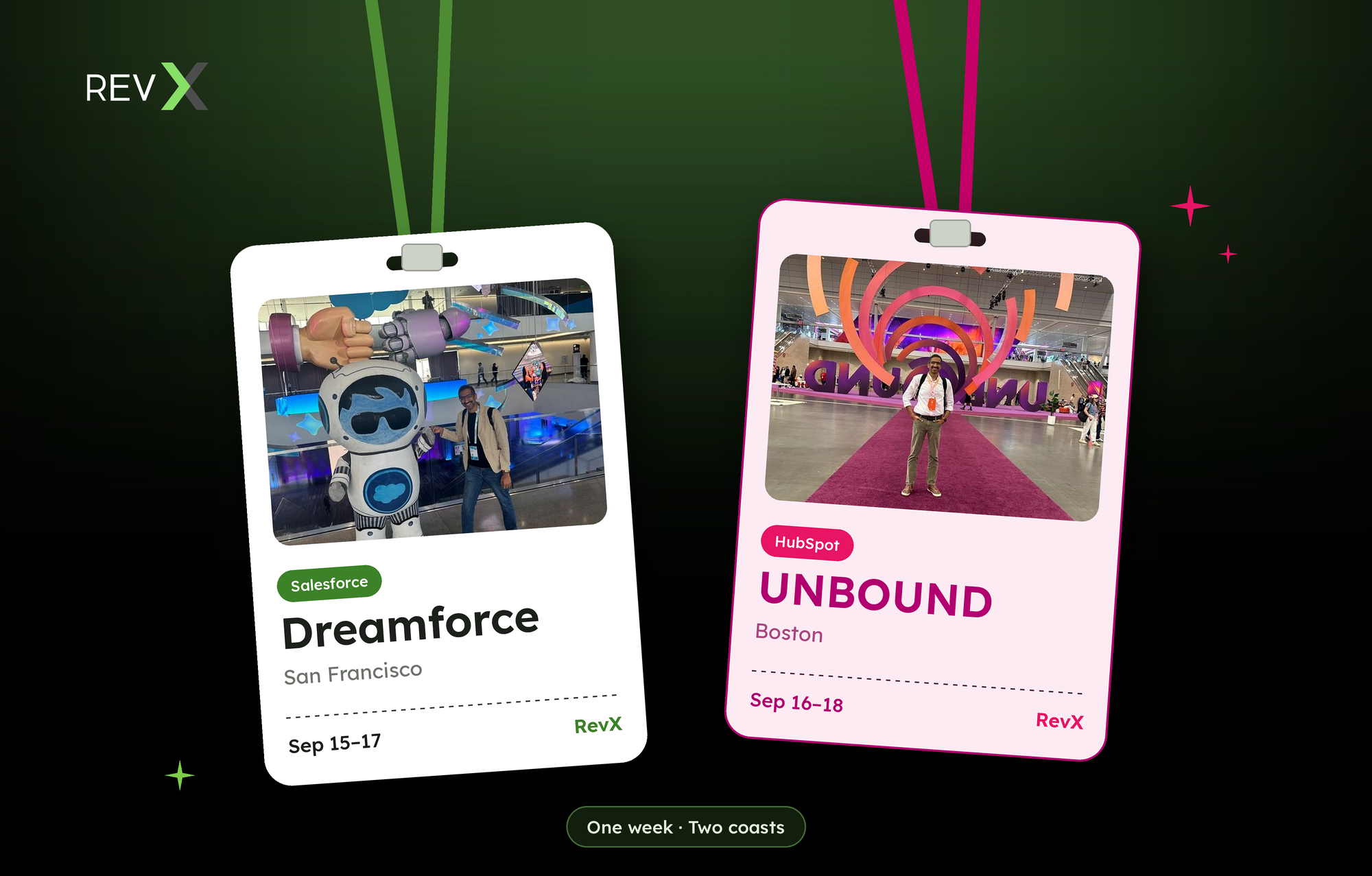
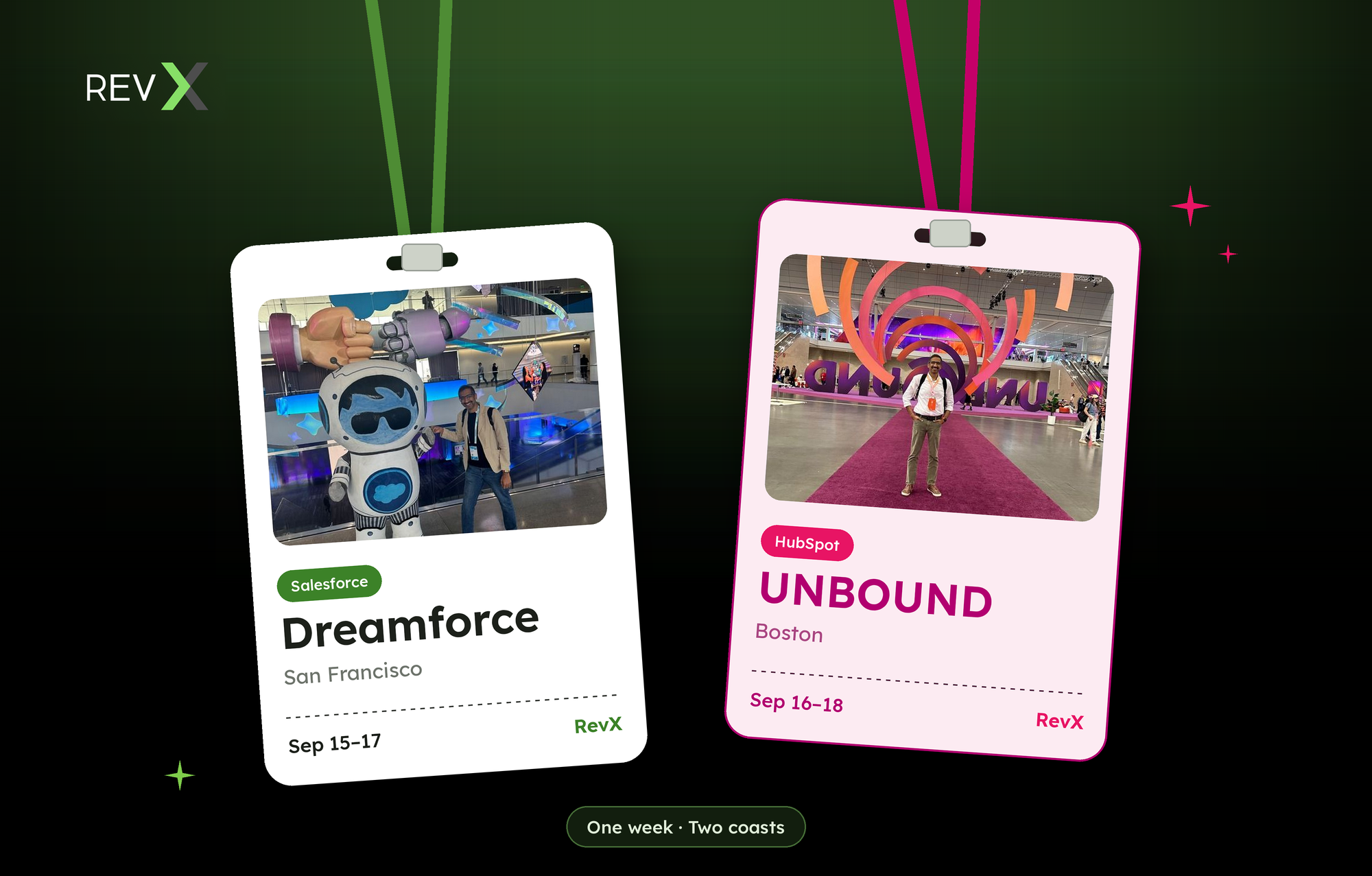
My POV going in was simple, and I'll admit it was a little naive: Dreamforce and UNBOUND felt like they should be far enough apart on the calendar that you could actually do both properly. They weren't. Dreamforce ran September 15–17 in San Francisco. UNBOUND ran September 16–18 in Boston. Two full days of overlap, one coast-to-coast flight in between, and not a single gap day to recover. I did both anyway.
Same category — CRM, customer data, go-to-market software. Practically the same week. Completely different energy, completely different crowd, and two very different bets on how AI gets built into the systems that run revenue. Watch either one in isolation and you'd think the customer data world is consolidating around a single winner. Watch both, back to back with no runway in between, and the picture is more interesting than that: these two platforms aren't fighting over the same customer. They're building for two different stages of a company's life. And if you work across the full market like I do, you need to be fluent in both.
Dreamforce: Salesforce is building the enterprise brain
Dreamforce this year wasn't about one flashy product. It was about architecture. Salesforce's big idea — they're calling it AIforce — is that the interface itself should disappear. Instead of people clicking through screens, AI agents work the platform directly, wherever your team already is: Slack, Claude, or Salesforce itself. Marc Benioff's framing in the keynote was pointed: the "SaaSpocalypse" narrative — the idea that AI kills traditional software — is, in his words, "crazy nonsense." His actual argument was narrower and more interesting: most of the value AI needs is already trapped inside the customer data enterprises have spent twenty years building in Salesforce. The job isn't to replace that data, it's to unlock it.
Three announcements backed that theme up:
The Fin acquisition
Salesforce closed its $3.6B acquisition of Fin (the AI customer service agent, formerly Intercom) on September 10 — right before Dreamforce. Fin runs across live chat, email, WhatsApp, SMS, voice and Slack for over 30,000 companies, with a 76% average resolution rate. It slots in next to Agentforce as the fast-deploy option, versus Agentforce's deep-customization path — Salesforce is now offering both ends of that spectrum instead of picking one.
Revenue Cloud consolidation
Salesforce folded catalog and pricing, quoting and contracts, order management, asset management, metering, and billing into a single system — now rebranded Agentforce Revenue Management — and picked up metering platform m3ter to handle usage-based pricing. The pitch: revenue operations broke because it's been run on disconnected systems and custom code for a decade, and that's no longer viable when you're supporting subscriptions, usage-based, and outcome-based pricing at once.
Claudeforce
This is the one that actually got me fired up. Salesforce and Anthropic went further into open beta on giving Claude direct access to Salesforce workflows and prebuilt sales skills. RevX had already been building on Claude before this was ever announced. Watching Salesforce validate that bet at this scale, on stage, at Dreamforce — that's the moment that got me to commit fully to this direction for the next 12 months.
UNBOUND: HubSpot is building momentum
UNBOUND felt like a completely different event, and that's the point. Where Dreamforce was heads-down on infrastructure, UNBOUND ran on community energy — the hallway conversations, the partner meetups, the sense that this ecosystem is still small enough that you actually run into the same people twice in one day. The partner ecosystem itself has become a real moat for HubSpot; it's not just a software company anymore, it's a network.
Breeze becomes the whole platform, not a feature on top of it
On product, the headline is that HubSpot stopped treating AI as a feature and started treating it as the foundation. The standalone "Breeze" branding for agents and studio tools is going away — folded directly into what HubSpot now calls the Agentic Customer Platform, built around context, action, and coordination layers. Worth being precise here: it's not a full sunset. The Breeze Assistant copilot keeps its name and actually got upgraded — more autonomy, memory, and it now works inside ChatGPT too. What's being retired is the separate "Breeze" label on the agent-building tools, folded into the core platform. As HubSpot put it: AI isn't a layer anymore, it's the whole product.
First CRM integrated with ChatGPT Ads
The other announcement worth calling out: HubSpot became the first CRM integrated with ChatGPT Ads. Ads bought inside ChatGPT can now be informed by HubSpot's own audience data, and leads flow back into HubSpot for attribution — closing a loop that's been missing since people started researching purchases inside LLMs instead of search engines.
Salesforce vs. HubSpot: same war, different battlefield
Put the two events side by side and the split is obvious:
- Segment. Salesforce is enterprise. HubSpot is mid-market and the lower end of enterprise. That's not a knock on either — it's who actually buys each platform.
- Depth vs. speed. Salesforce's CRM and customer-data functionality runs deeper — the governance, the trust layer, the "zero data retention" language Benioff kept repeating. HubSpot optimizes for a company getting value fast, without needing a platform team to run it.
- What each conference actually was about. Dreamforce was a tech and architecture event. UNBOUND was a demand-gen and lead-gen event. That's not incidental — it's a direct signal of who's in the room. Enterprise buyers show up to evaluate infrastructure. Mid-market buyers show up to find their next win.
- Two different AI bets. Both platforms are all-in on AI, but the philosophy diverges. Salesforce is building a governed control plane — multi-model by design (Claude plus their own model, Koa, built with Nvidia), with trust and oversight as the selling point. HubSpot is building for speed and usability, betting that clean, current context matters more than heavyweight governance for the buyer they serve.
I'm not the only one who saw it this way — one of the better independent write-ups on both events landed on almost the same read: different buyer profiles, same underlying bet on agentic AI, and the real competition isn't between Salesforce and HubSpot, it's about who owns context and governance as the durable layer models plug into.
They're not rivals. My POV: they're the Avengers of customer data.
Here's my actual takeaway, offered as one guy's read after two badges and not much sleep, not as gospel: Salesforce and HubSpot aren't fighting for the same customer, so stop reading their announcements as a head-to-head. Salesforce is building the brain for companies that have outgrown simplicity. HubSpot is building the engine for companies that haven't yet — or don't want to. A company's data and go-to-market needs migrate between these two worlds as it scales, and most of the RevOps problems I see are stitching-problems at exactly that seam.
That's what RevX spends its time on: helping teams make both ecosystems talk to each other instead of picking a side.

Marketing Operations
We execute the technical heavy lifting—from complex integrations to attribution modeling—so you can prove campaign ROI and ensure no conversion opportunity is ever left behind.

Sales Operations
We configure your CRM and CPQ to eliminate administrative friction for reps, turning your pipeline into a source of predictable revenue rather than a guessing game.

